AMAL POS Interface Gallery
Take an interactive tour inside AMAL POS. Beautifully designed, lightning fast, and built specifically for everyday retail merchants.
Designed for Speed & Simplicity
Every screen is engineered to reduce taps, accelerate customer checkout, and keep your inventory 100% accurate.
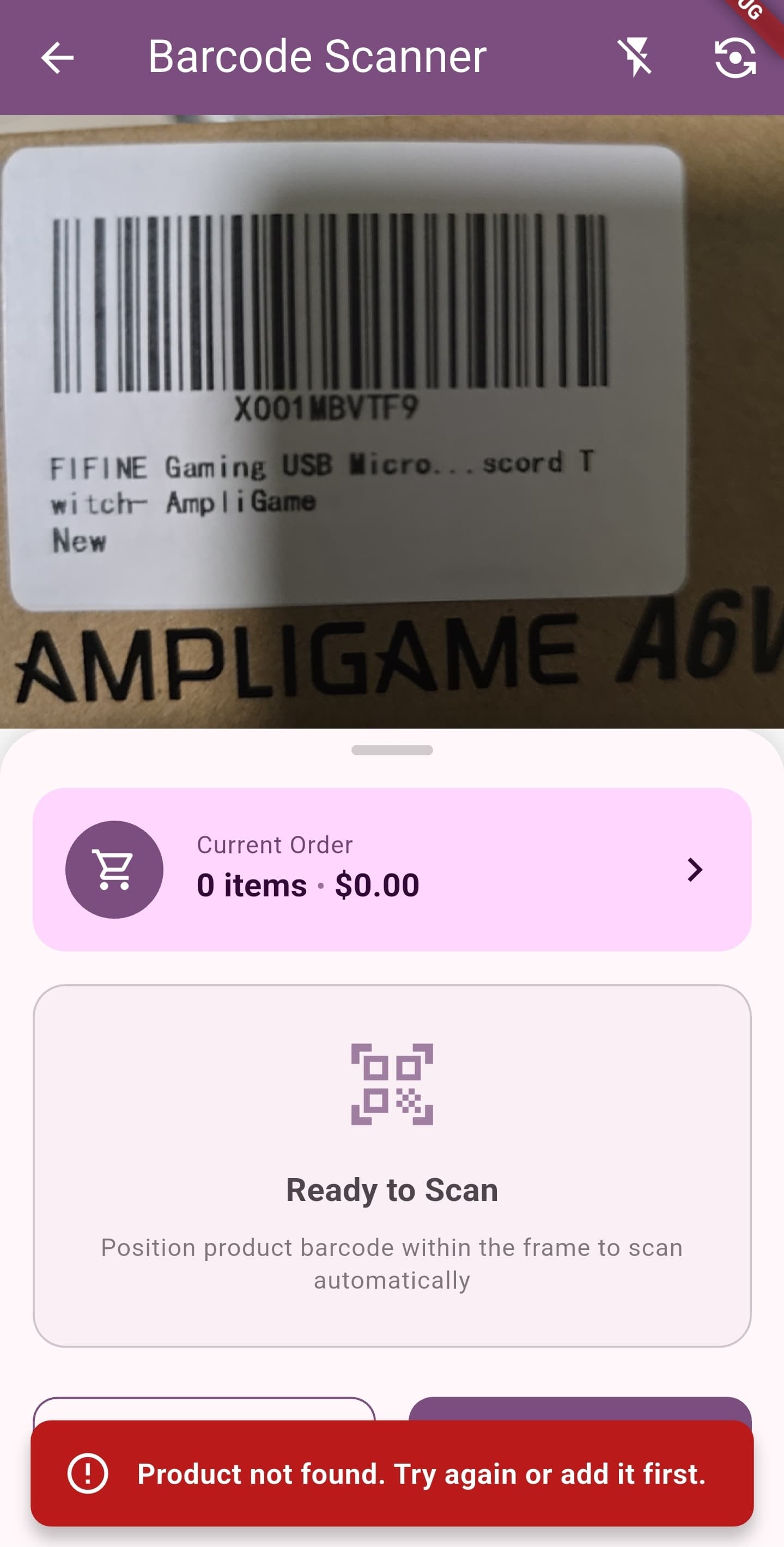
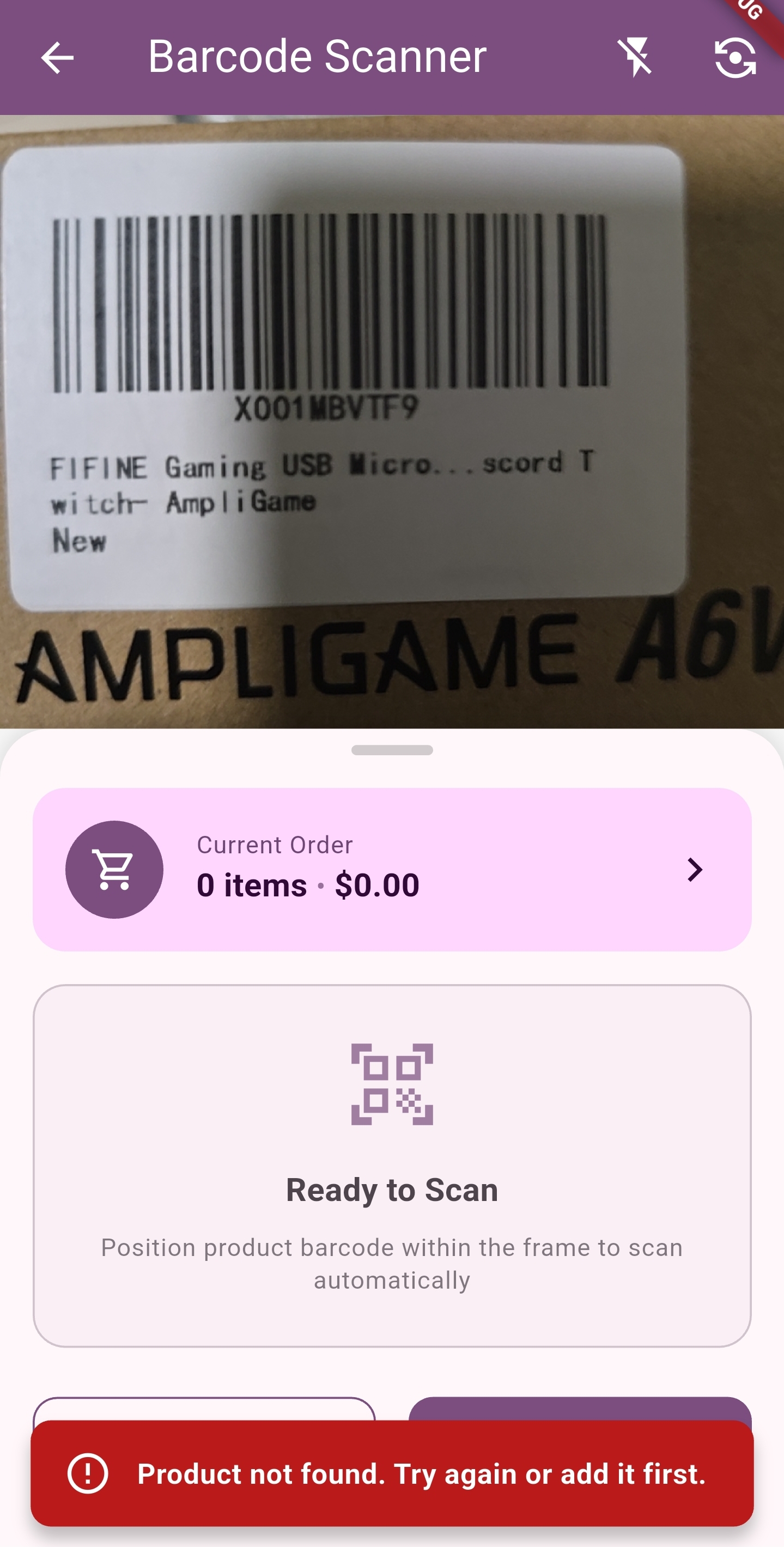
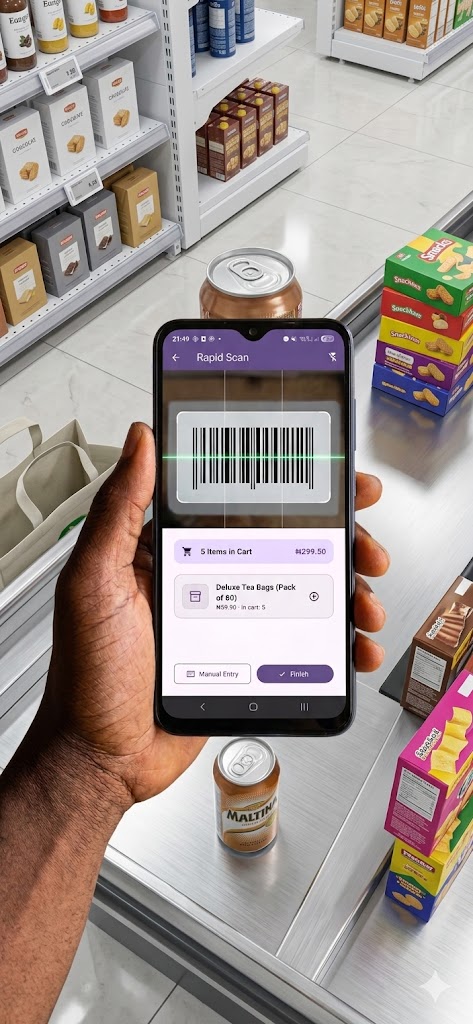
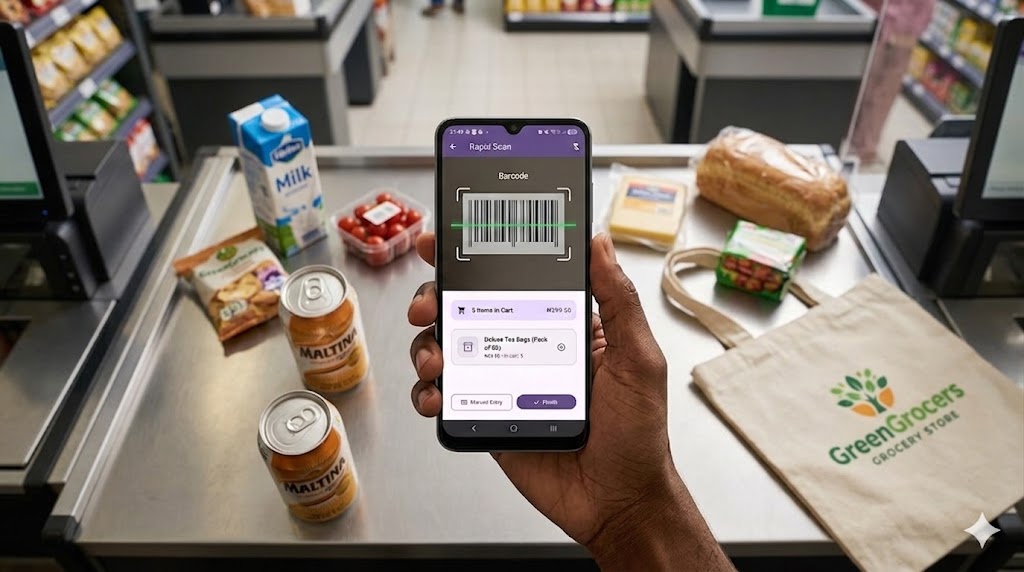
Real-Time Camera Barcode Scanner
Instant camera viewfinder scanning UPC, EAN, and QR codes in under 100 milliseconds with continuous rapid detection.
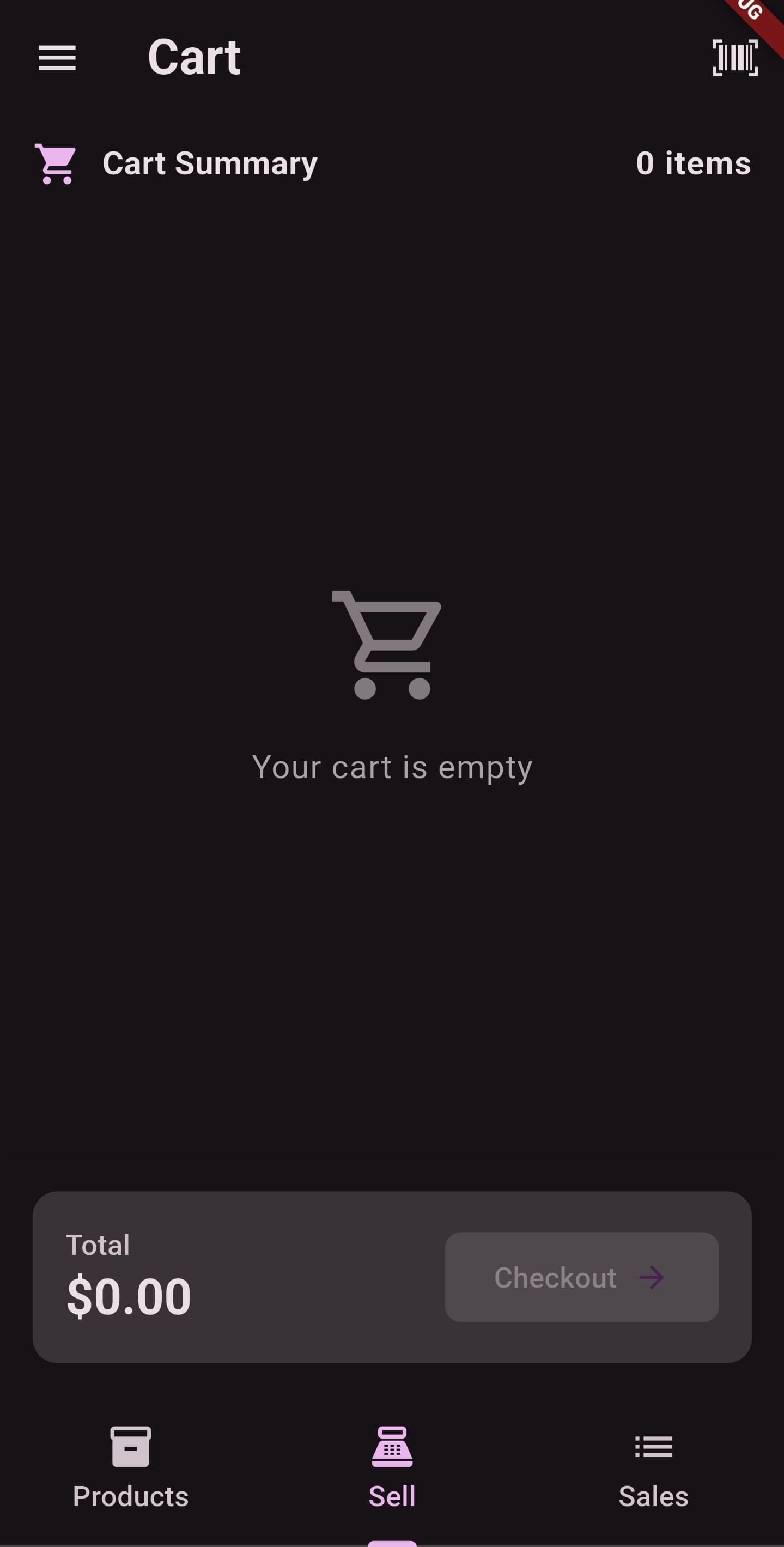
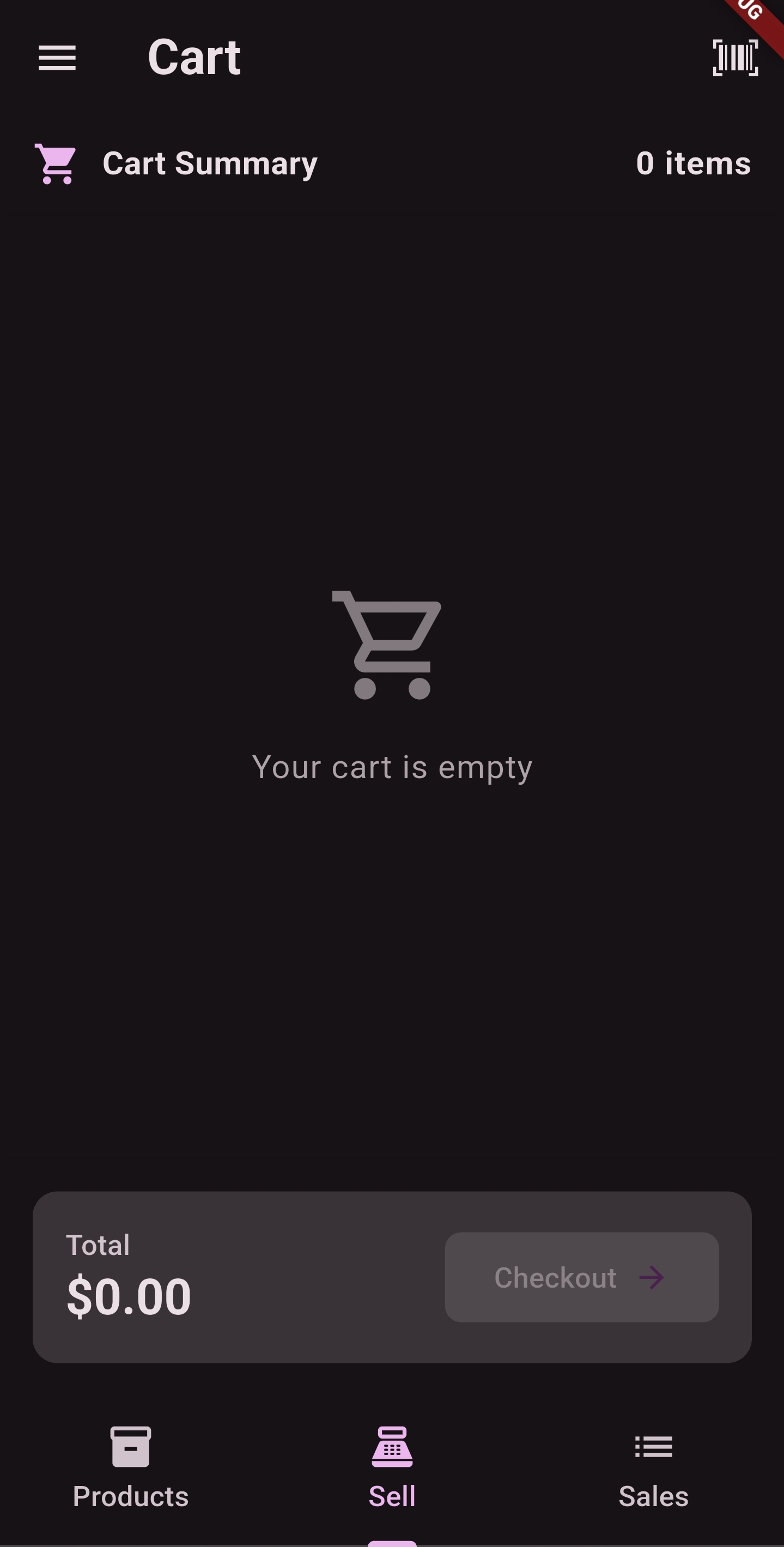
Fast Cart & Order Calculation
Streamlined cashier order screen displaying line items, discounts, instant tax computation, and quick-tender payment methods.
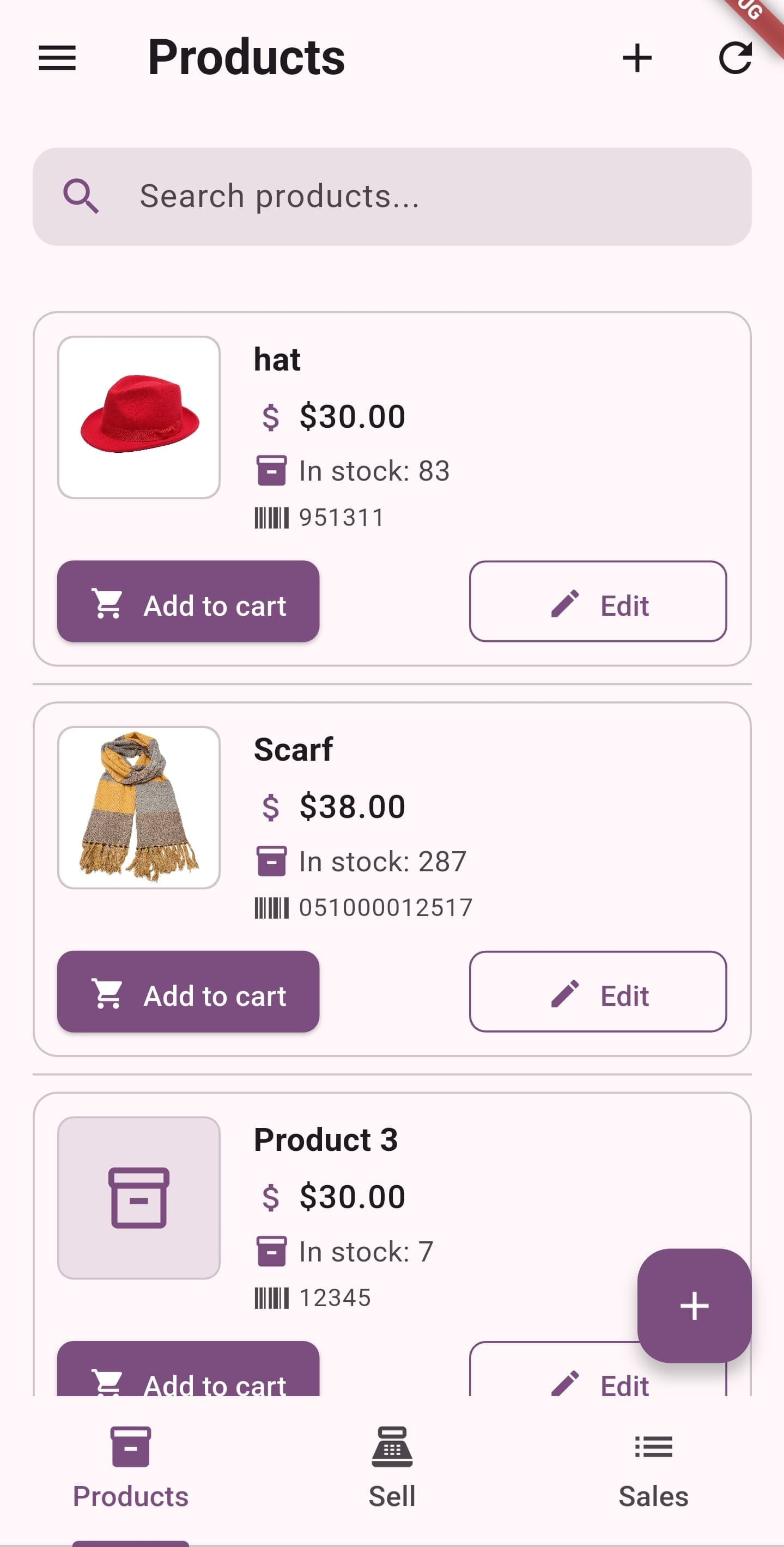
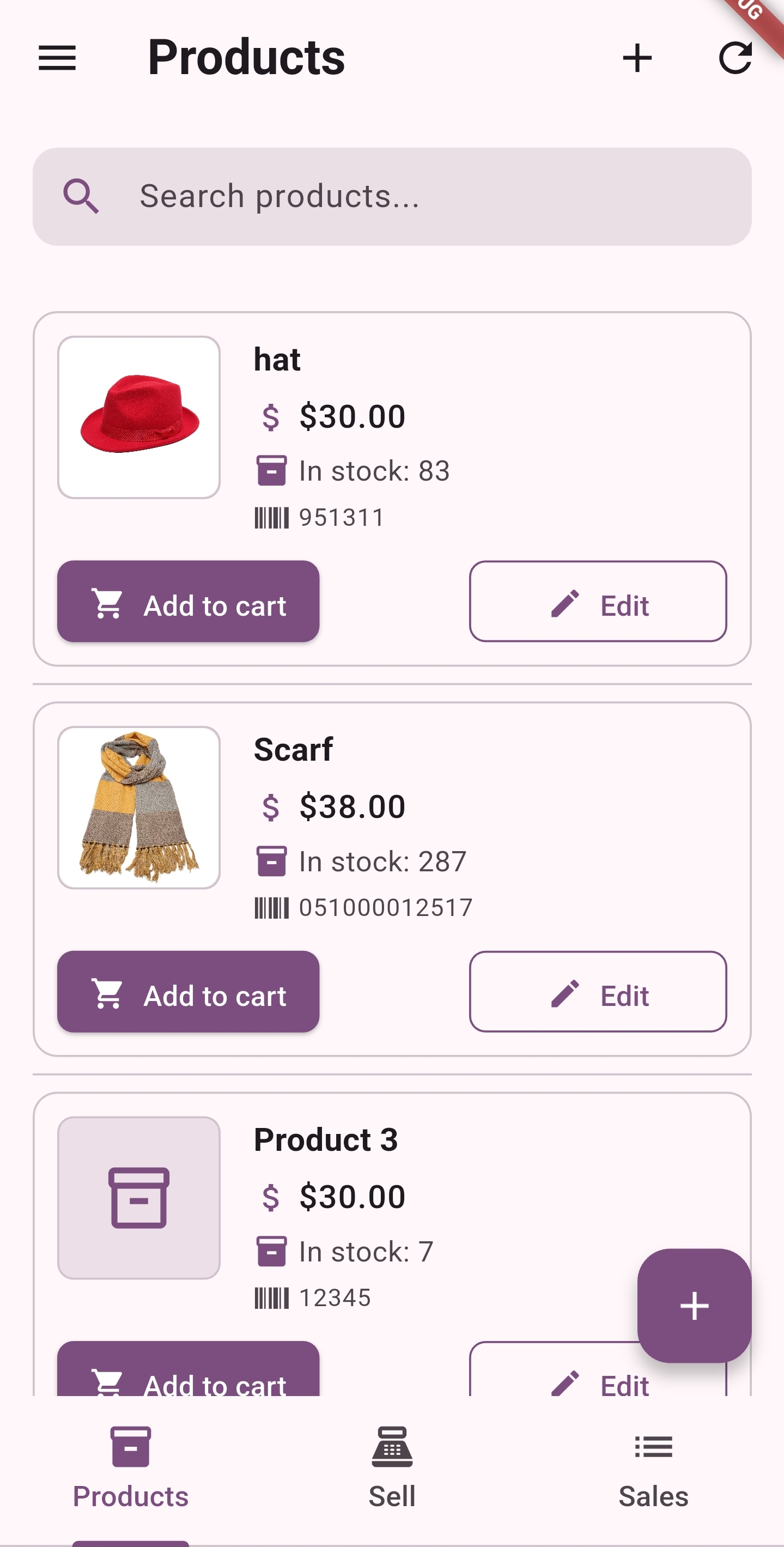
Store Dashboard & Quick Favorites (Light Mode)
Clean, visual product catalog grid with category filters, search bar, and instant real-time stock counters.
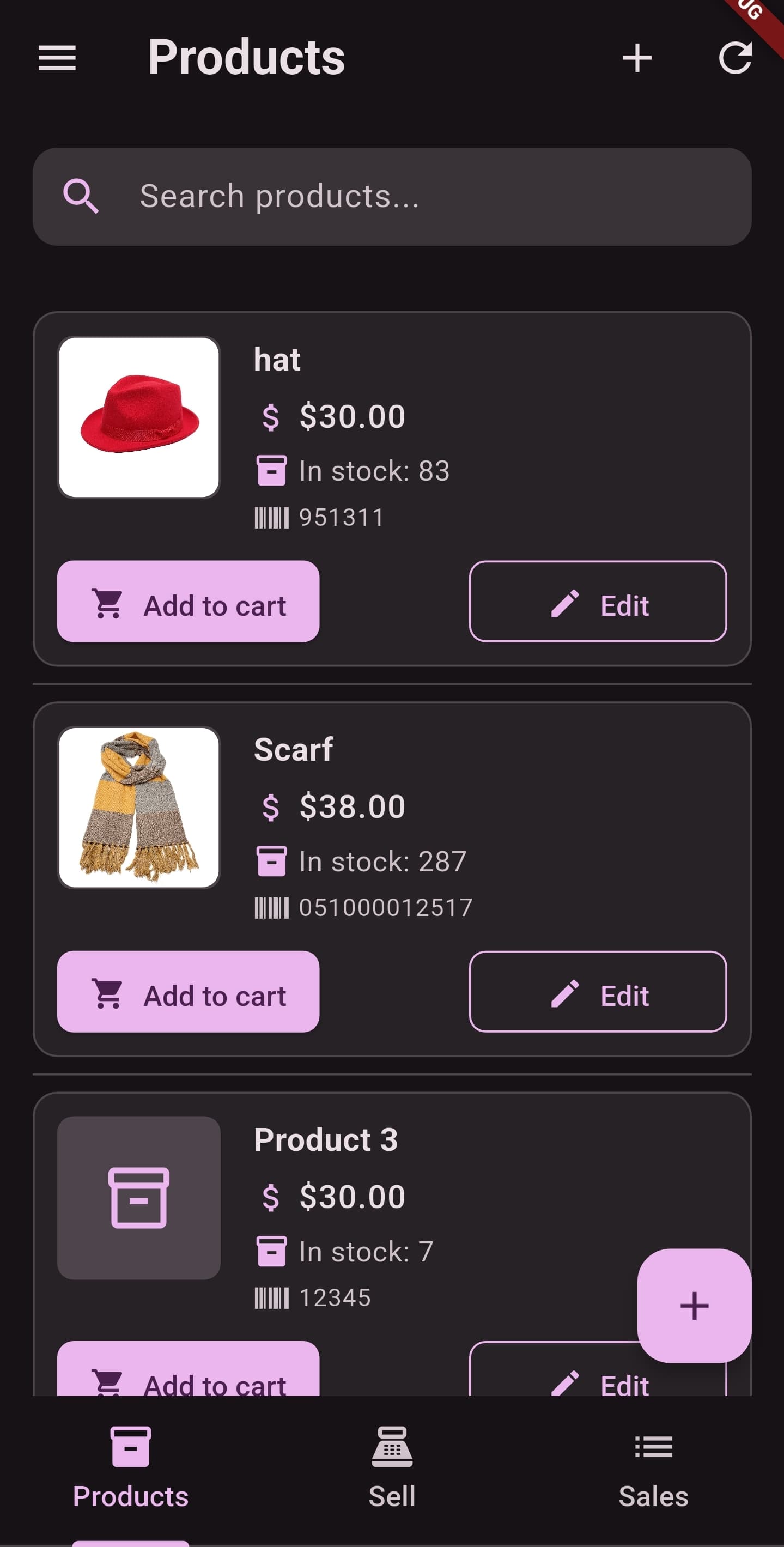
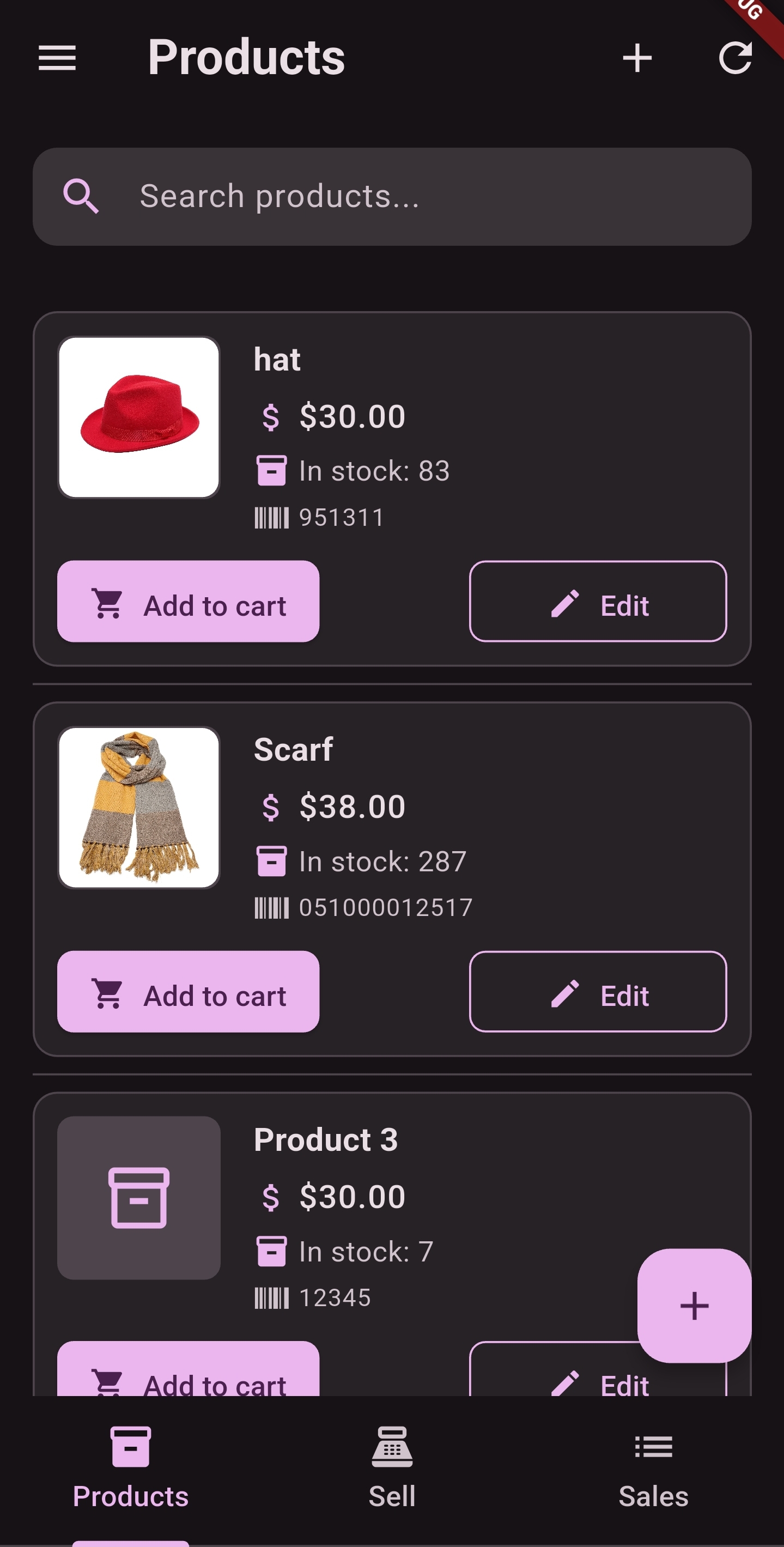
Store Dashboard & Quick Favorites (Dark Mode)
OLED battery-saving dark interface engineered for low-light retail counters and night markets.
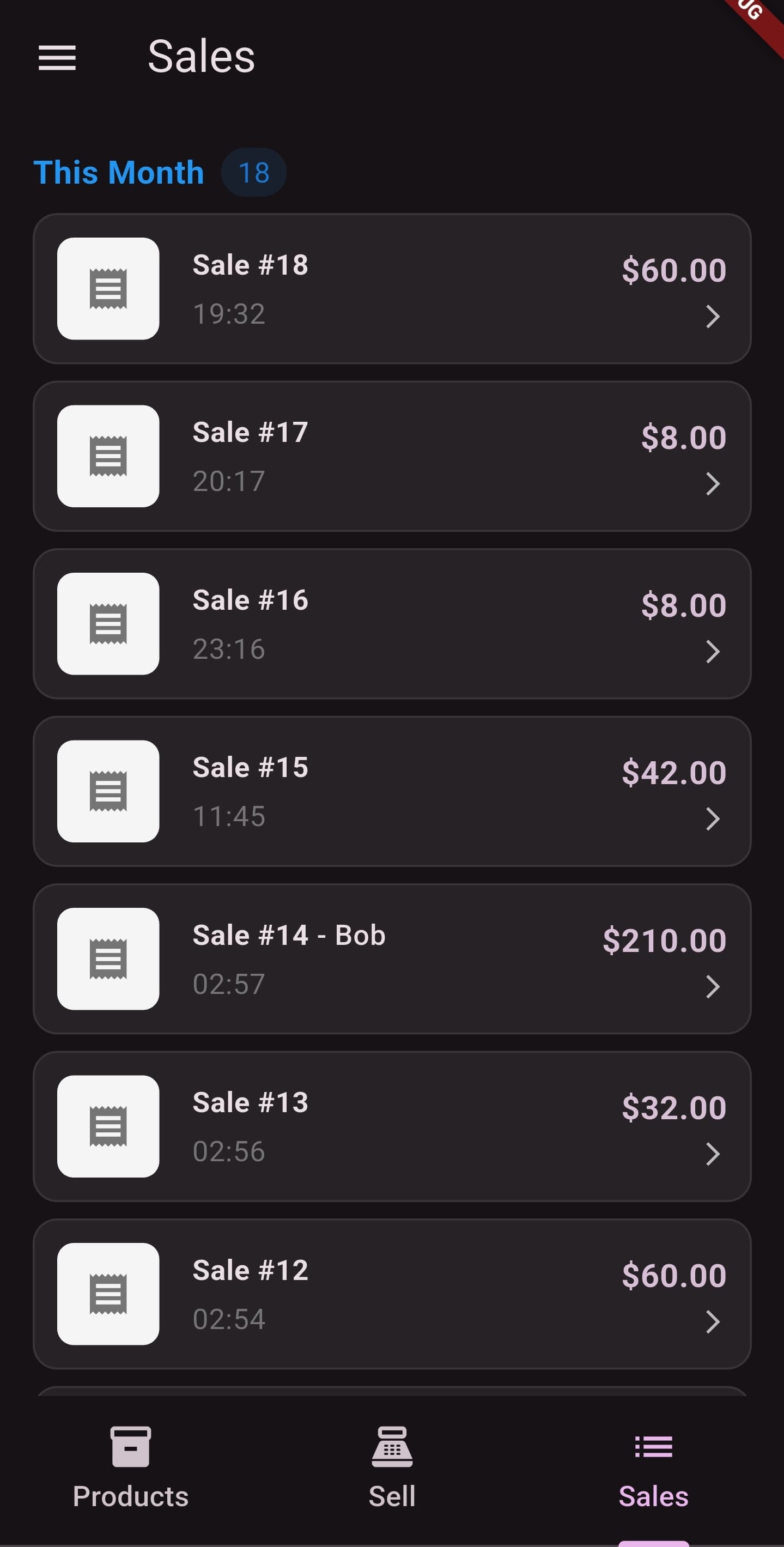
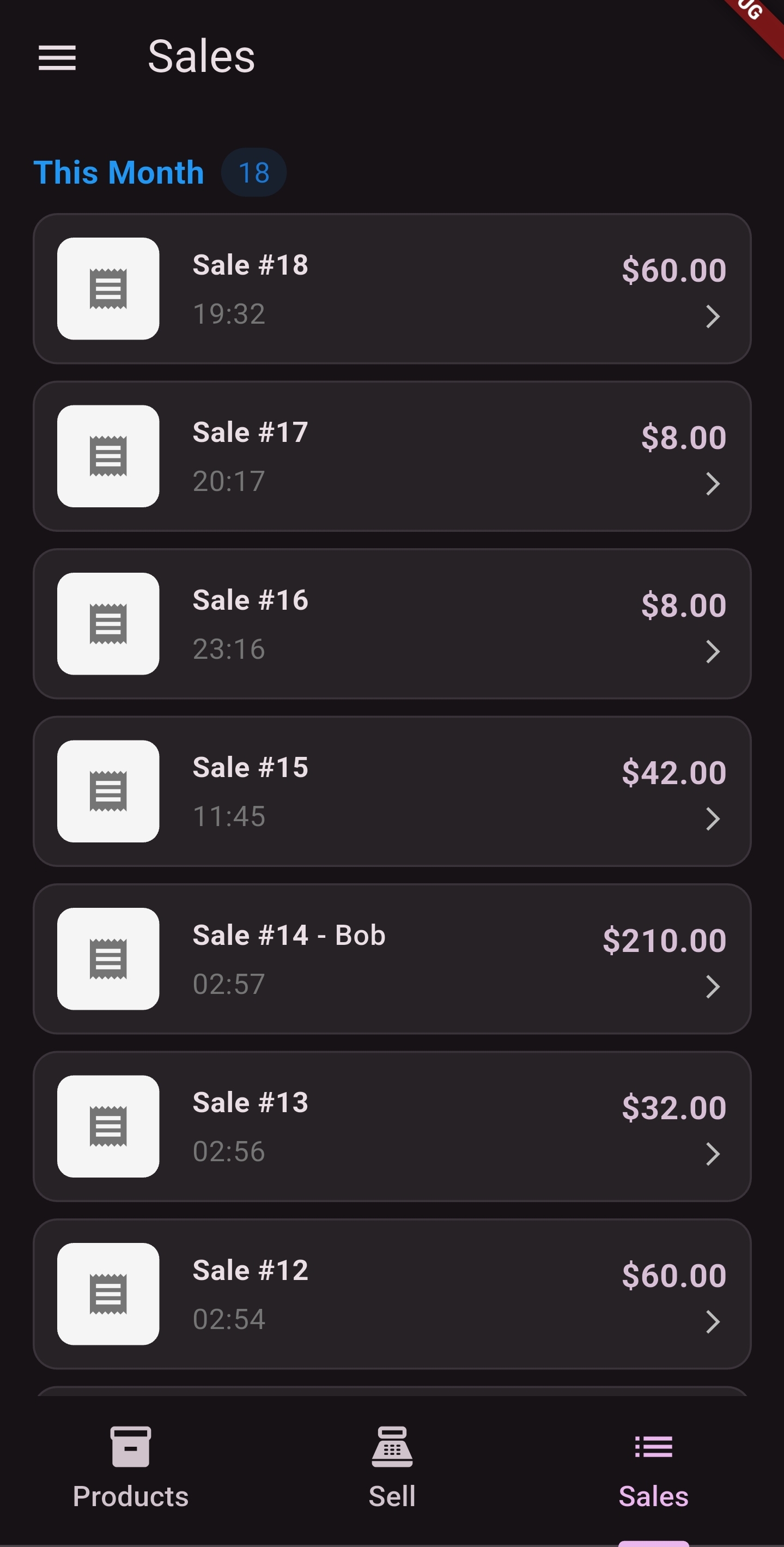
Daily Sales & Financial History
Detailed transaction history, revenue summaries, payment method breakdowns, and refund logs stored locally on your device.
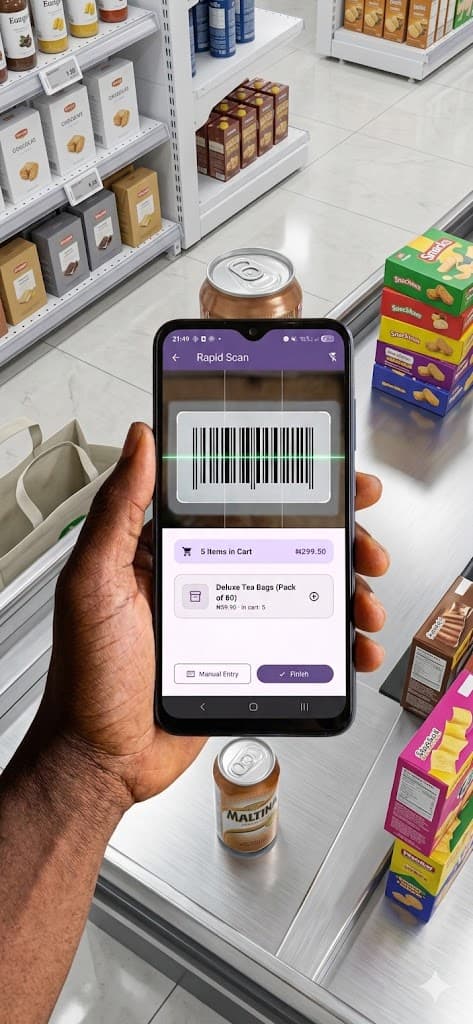
Pocket Checkout on Any Smartphone
Turn any personal iPhone or Android device into an industrial barcode scanner with zero hardware leasing costs.
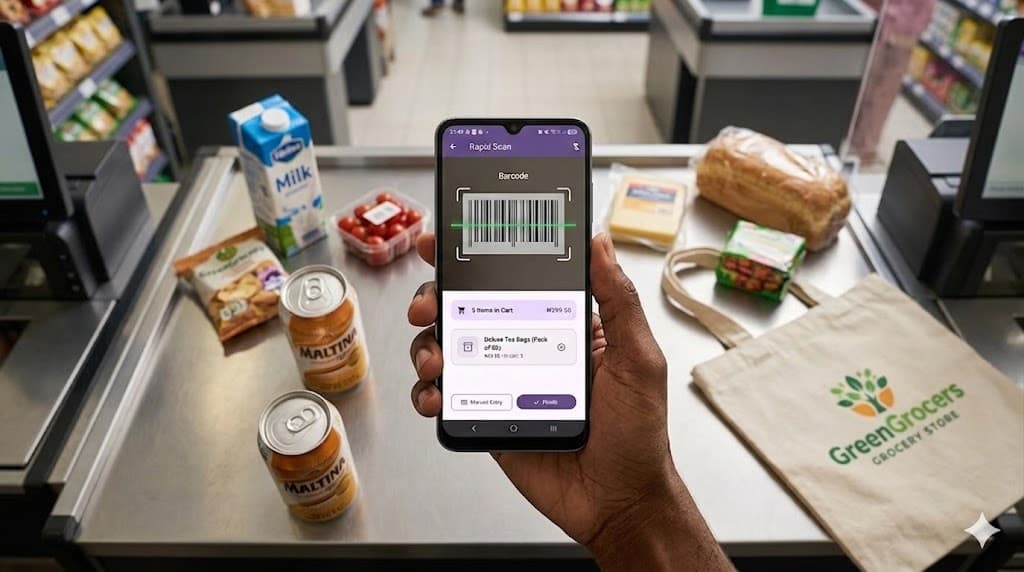
Retail Counter & Thermal Receipt Setup
Seamlessly paired with wireless Bluetooth 58mm/80mm ESC/POS thermal printers for customer paper receipts.
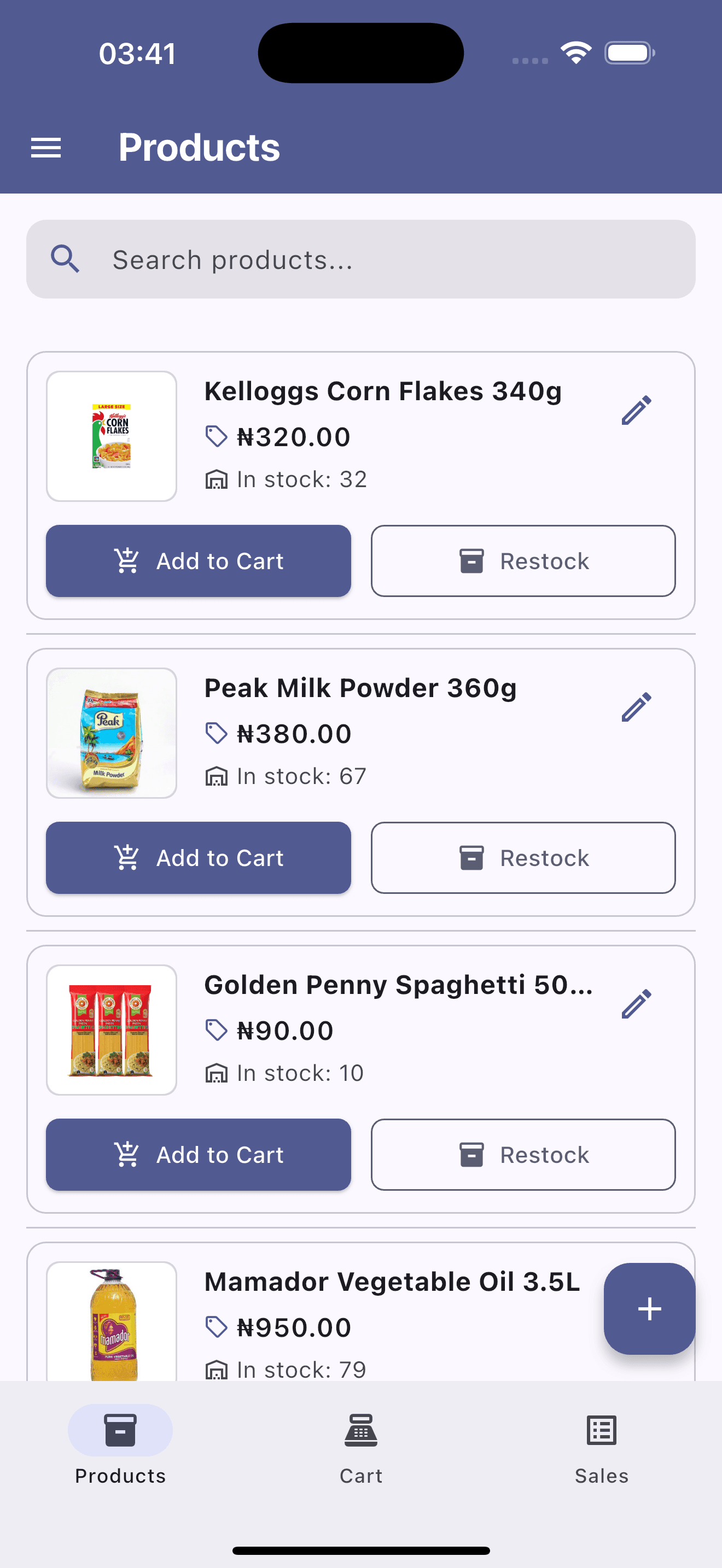
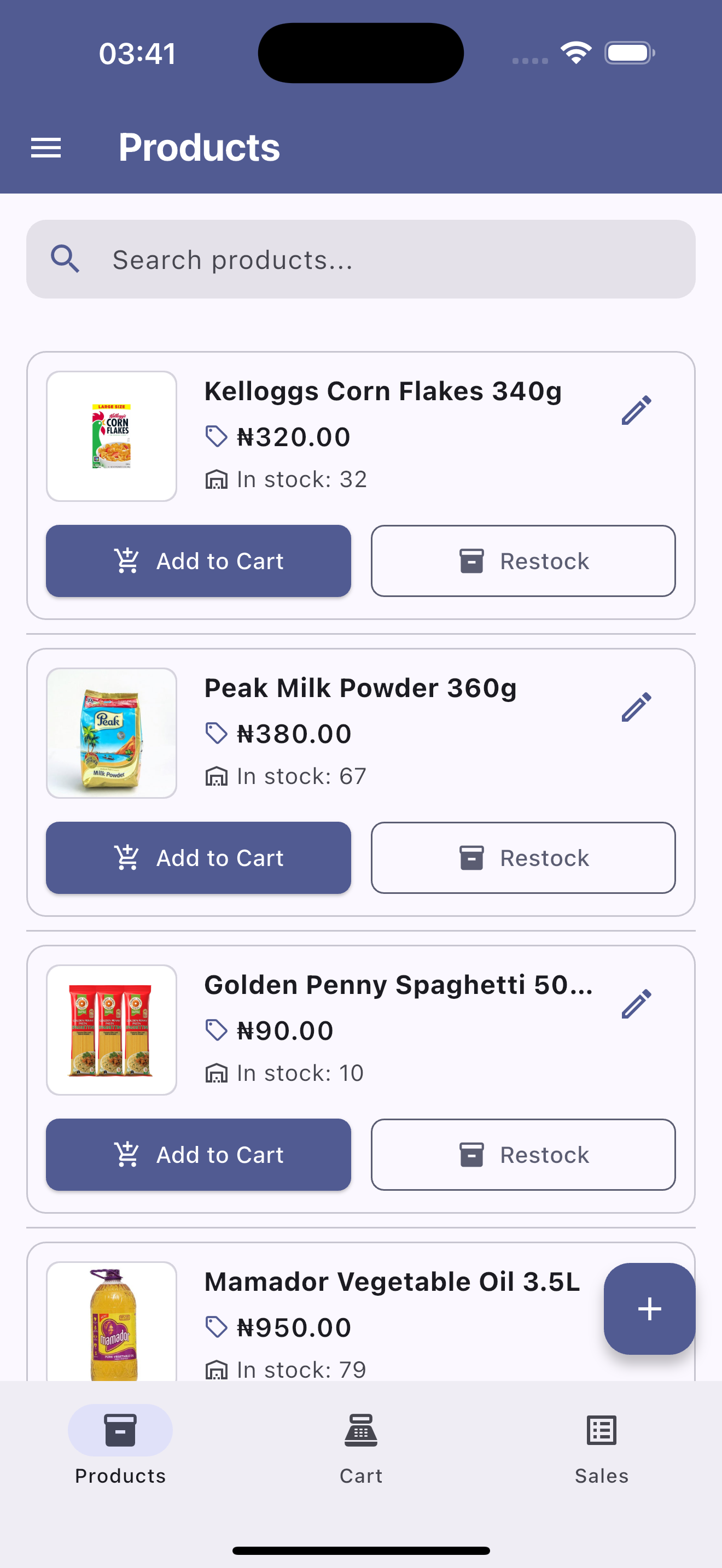
Product Inventory & Quick Stock Management
Organized inventory catalog displaying current stock counts, prices in Naira, restock shortcuts, and instant add-to-cart controls.
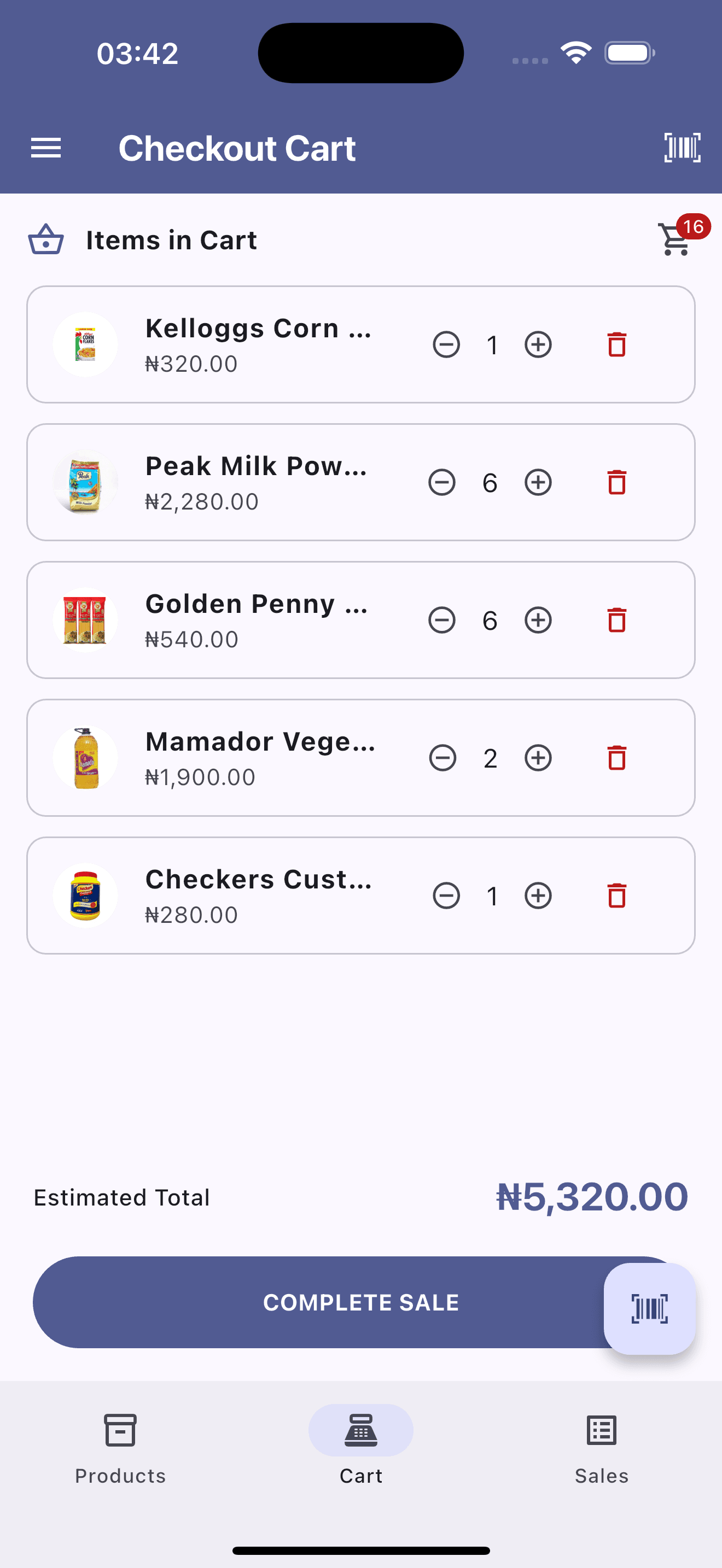
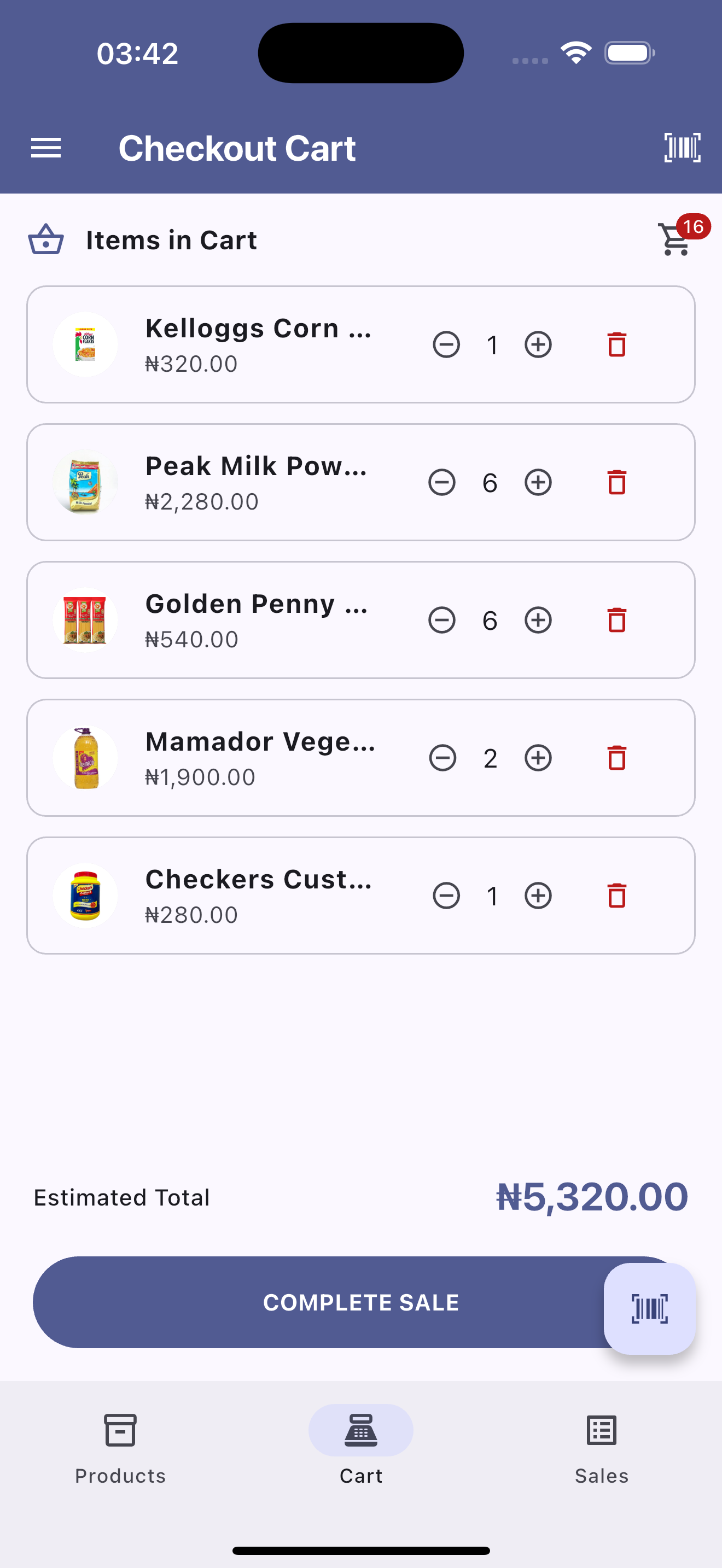
Real-Time Cart & Line-Item Quantity Controls
Interactive shopping cart ledger with quick increment/decrement adjusters, itemized line totals, subtotal sum, and barcode scanning shortcuts.
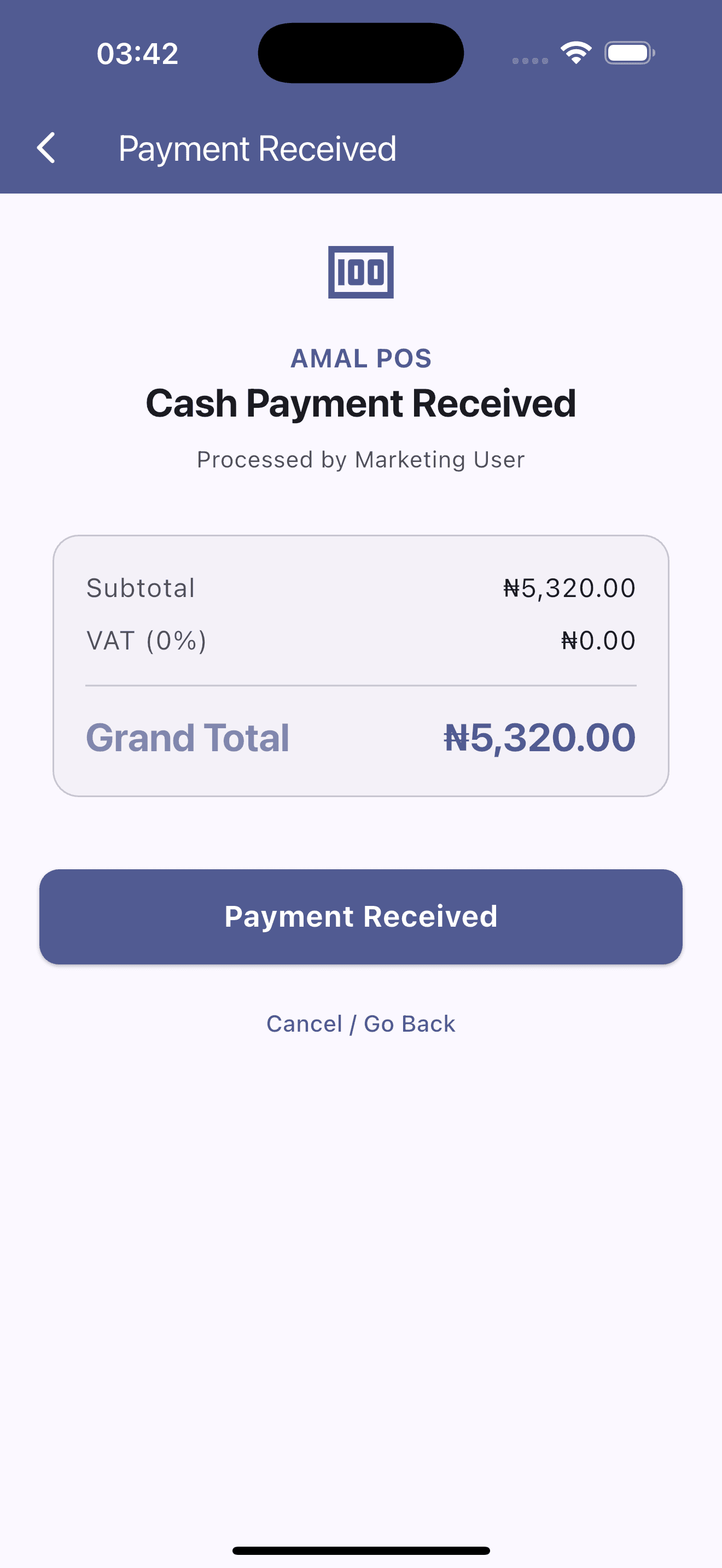
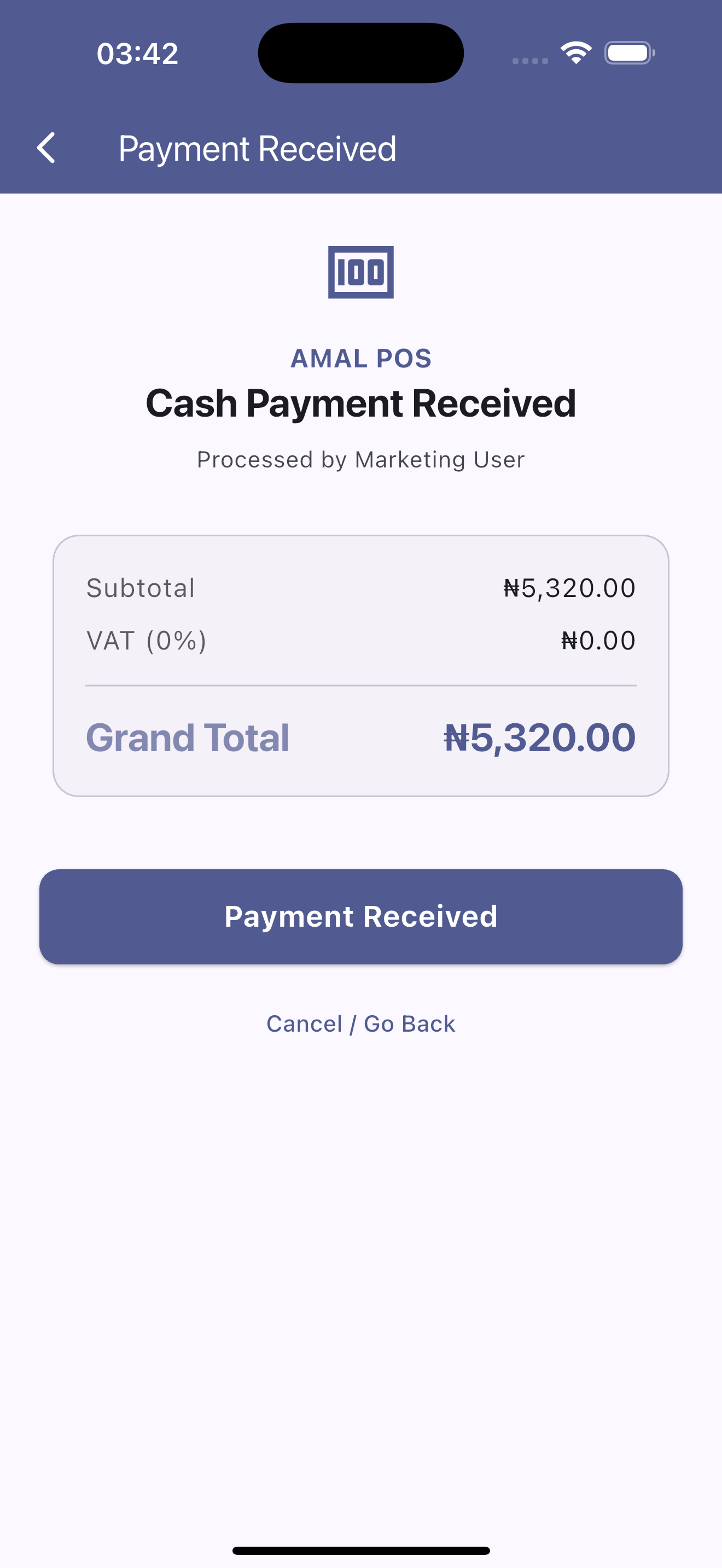
Instant Cash Payment Tender
Streamlined cashier checkout summary showing automated subtotal computation, zero-rate VAT breakdowns, and one-tap payment verification.
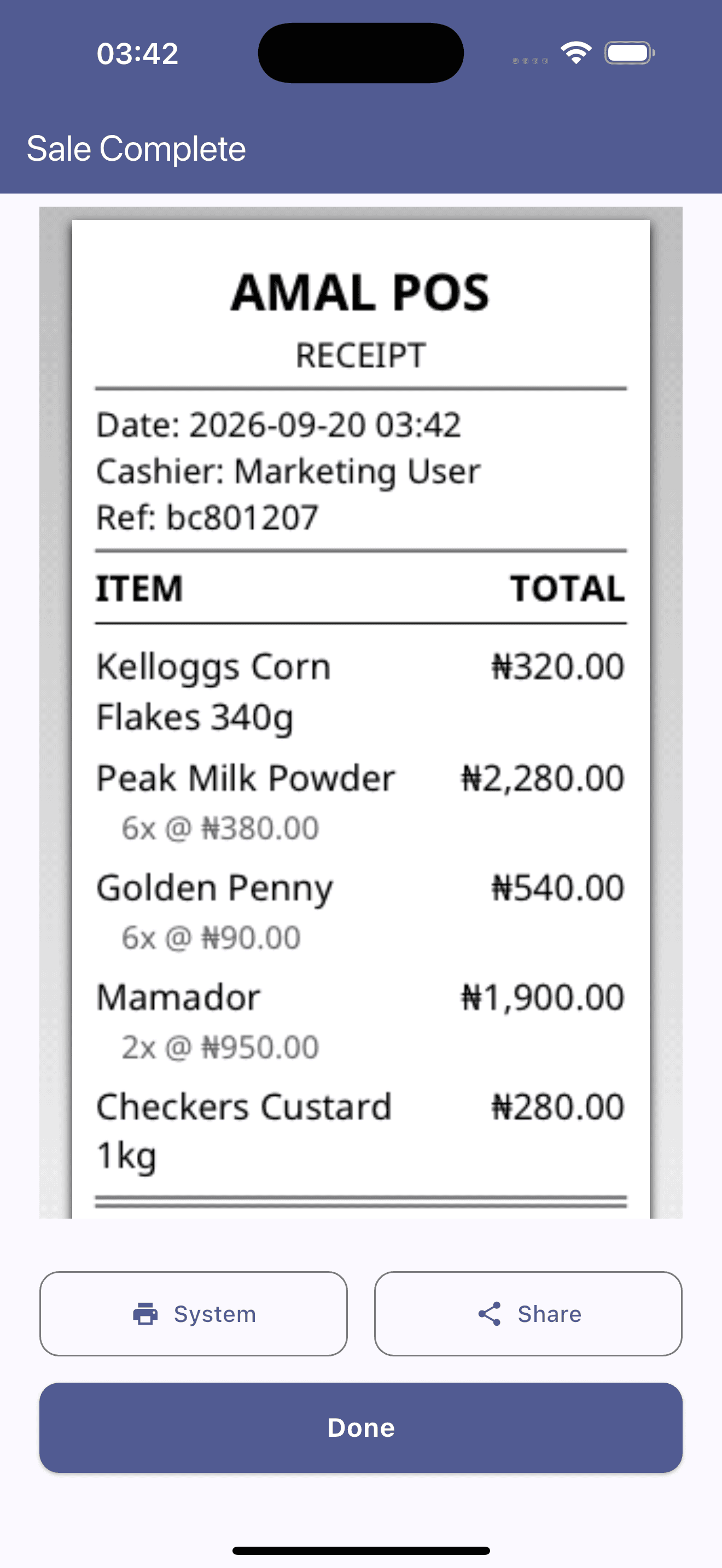
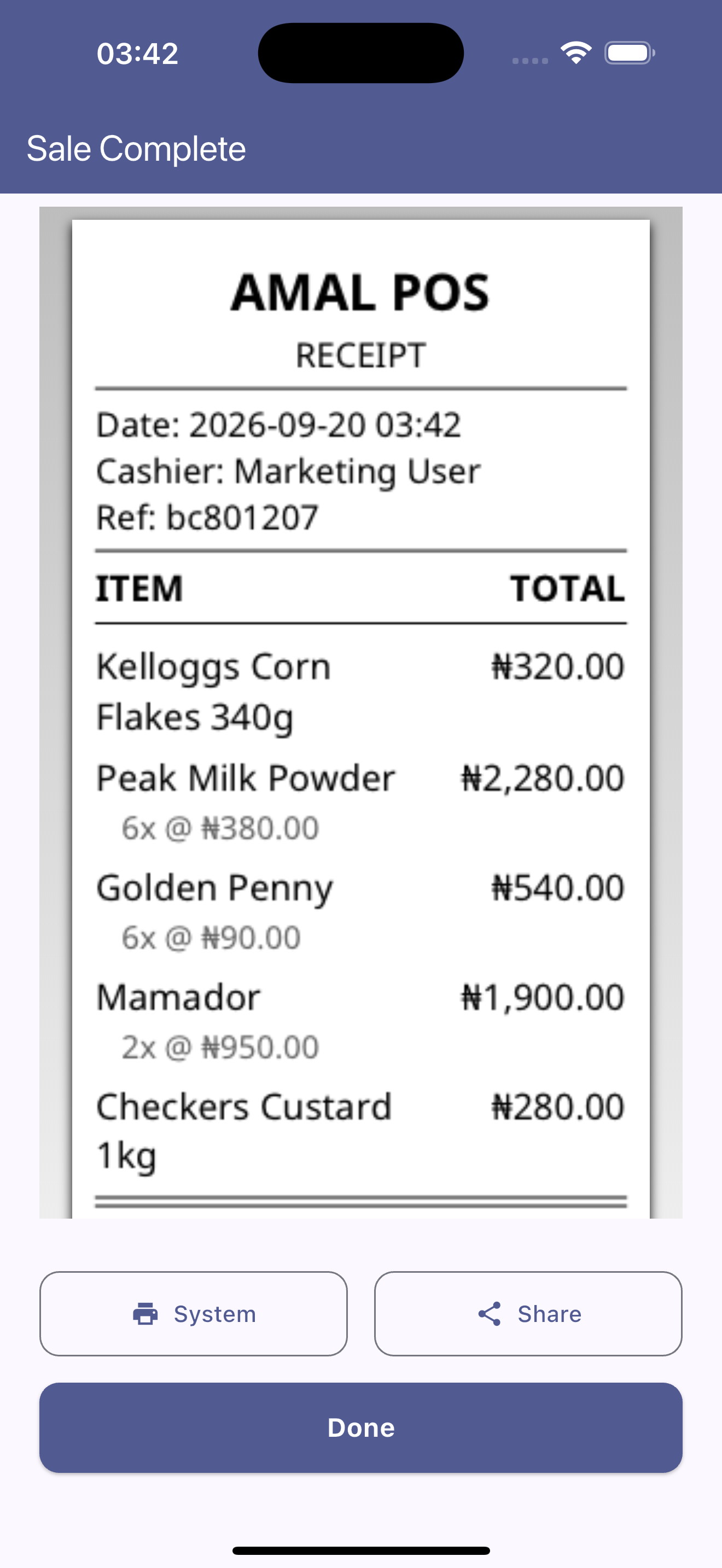
Digital & Printable Thermal Customer Receipt
Formatted customer register receipt displaying timestamp, cashier signature, unique transaction ref, itemized charges, and direct sharing/printing options.
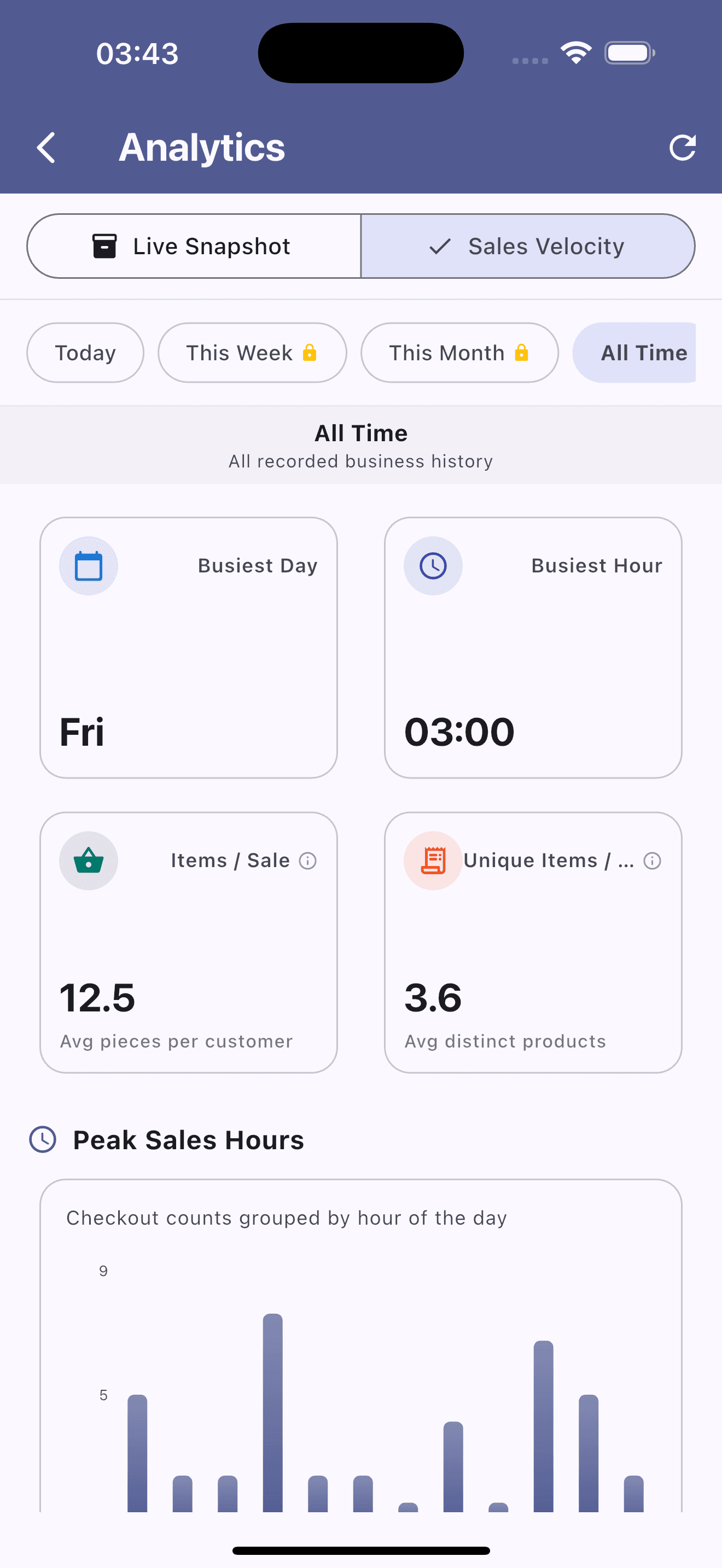
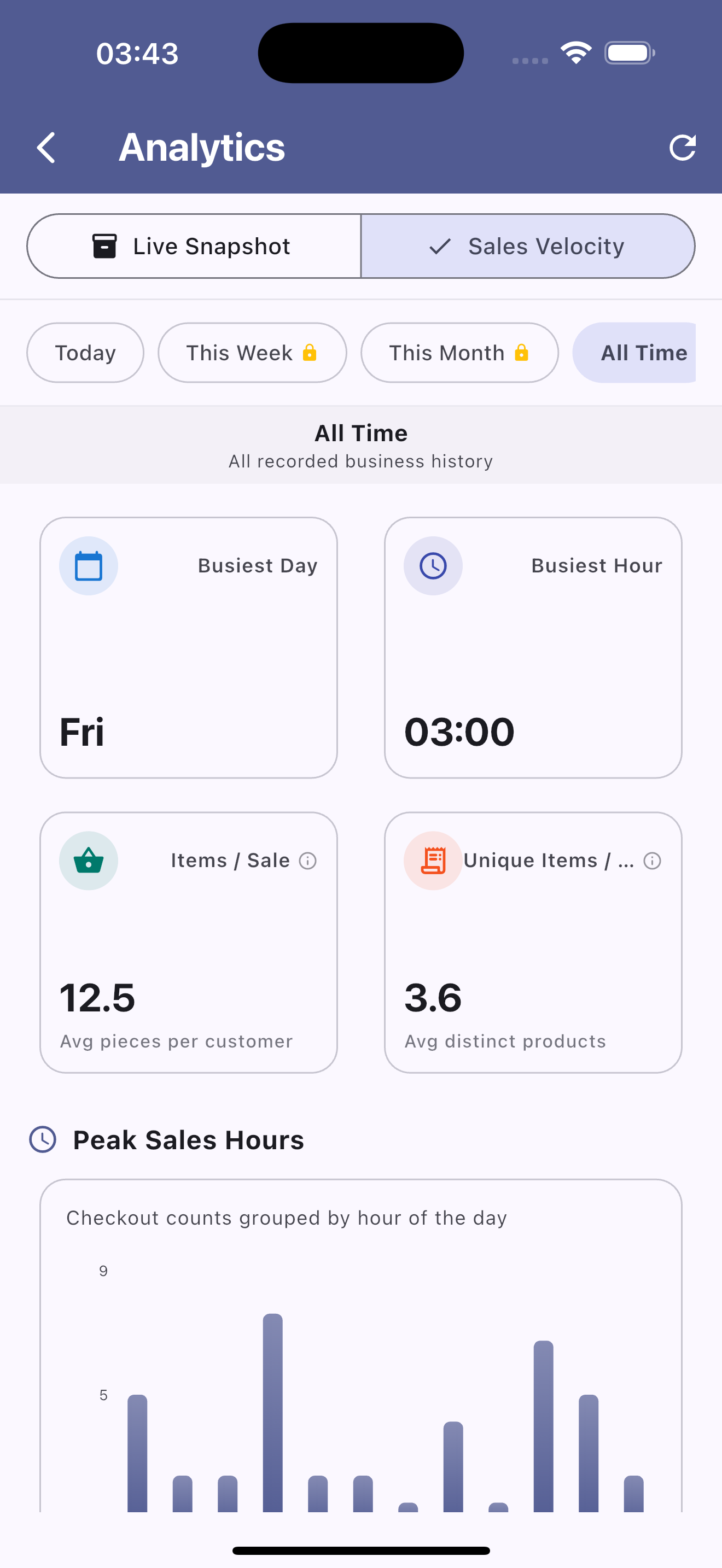
Sales Velocity & Peak Trading Hours
Comprehensive sales velocity metrics tracking peak operational hours, busiest trading days, average item count, and hourly transaction traffic graphs.
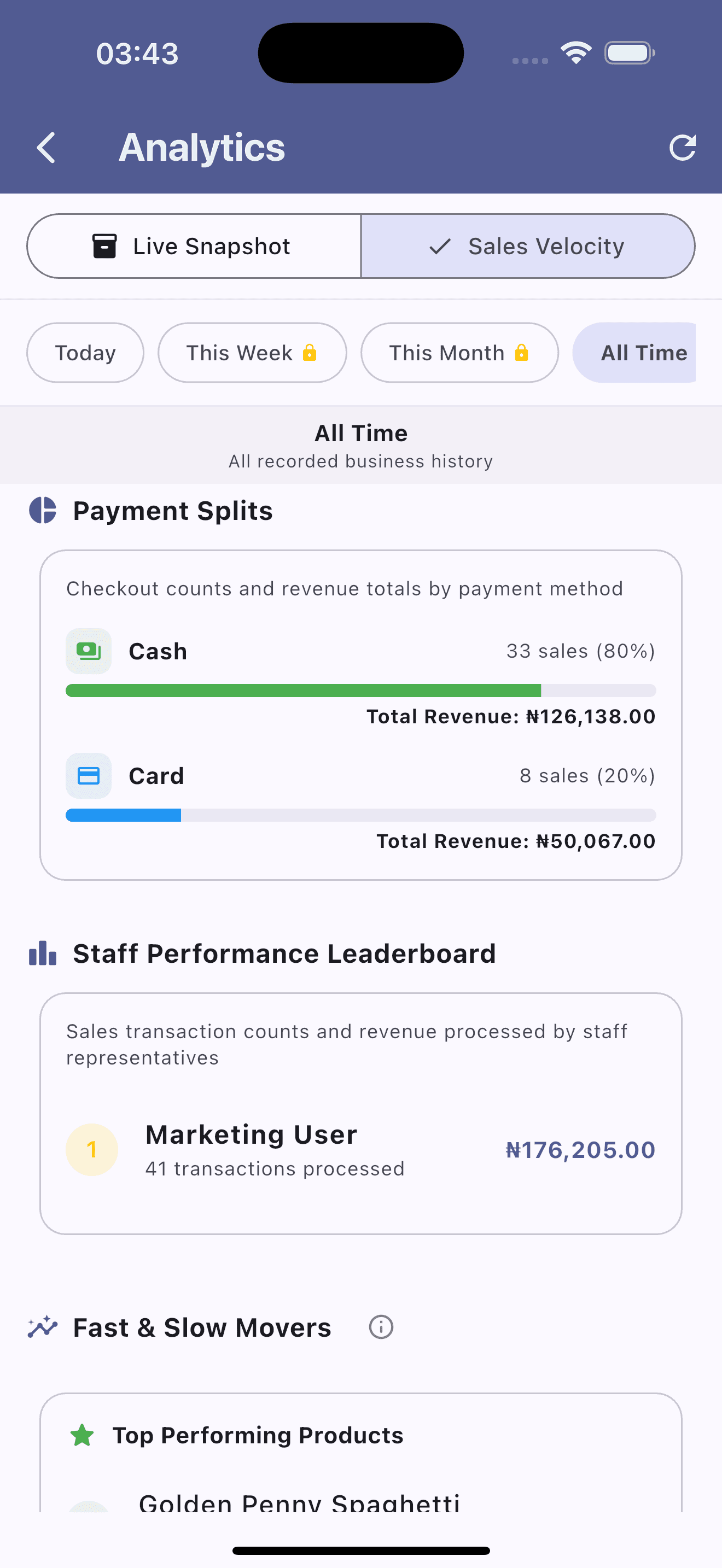
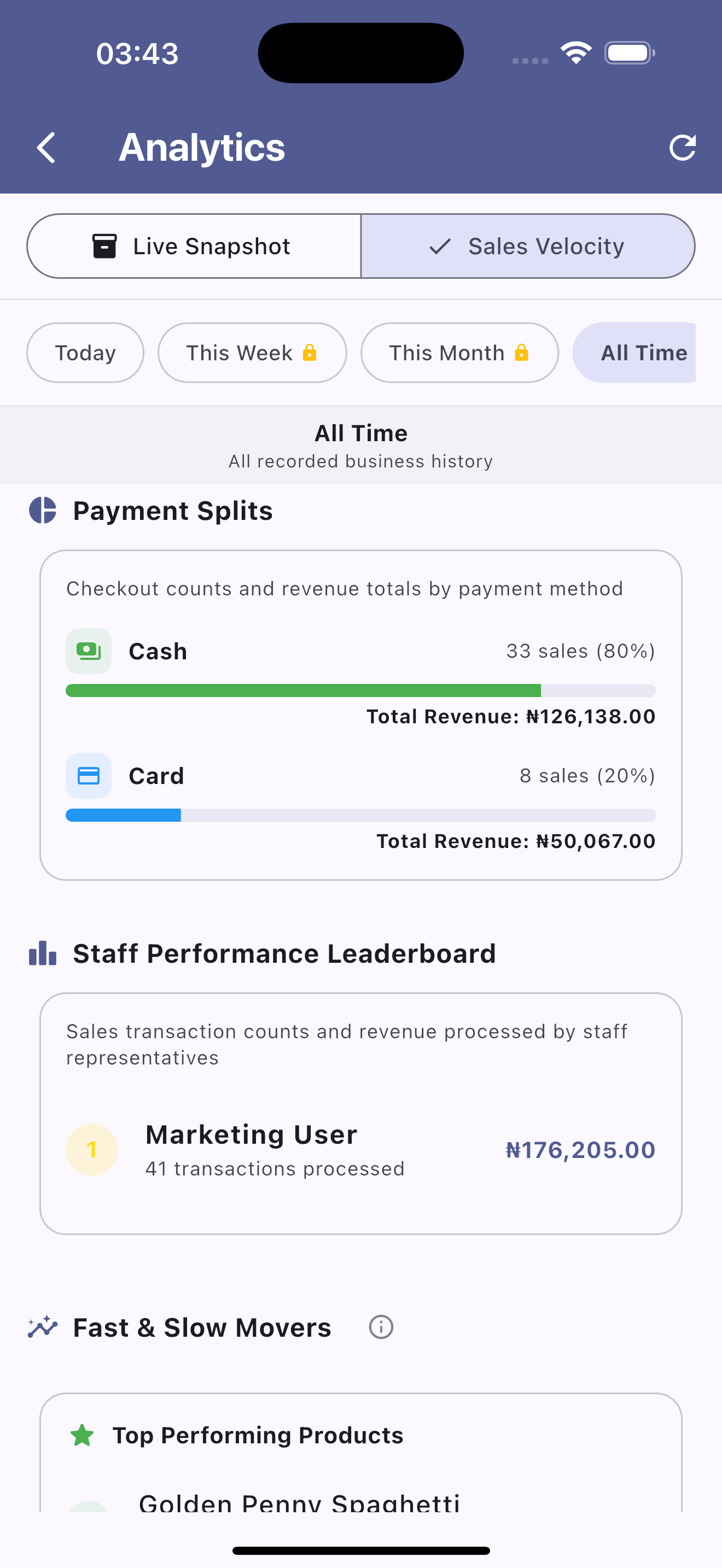
Payment Splits & Staff Leaderboard
Breakdown of card vs. cash transaction volumes alongside staff sales leaderboards tracking individual cashier performance and revenue generated.
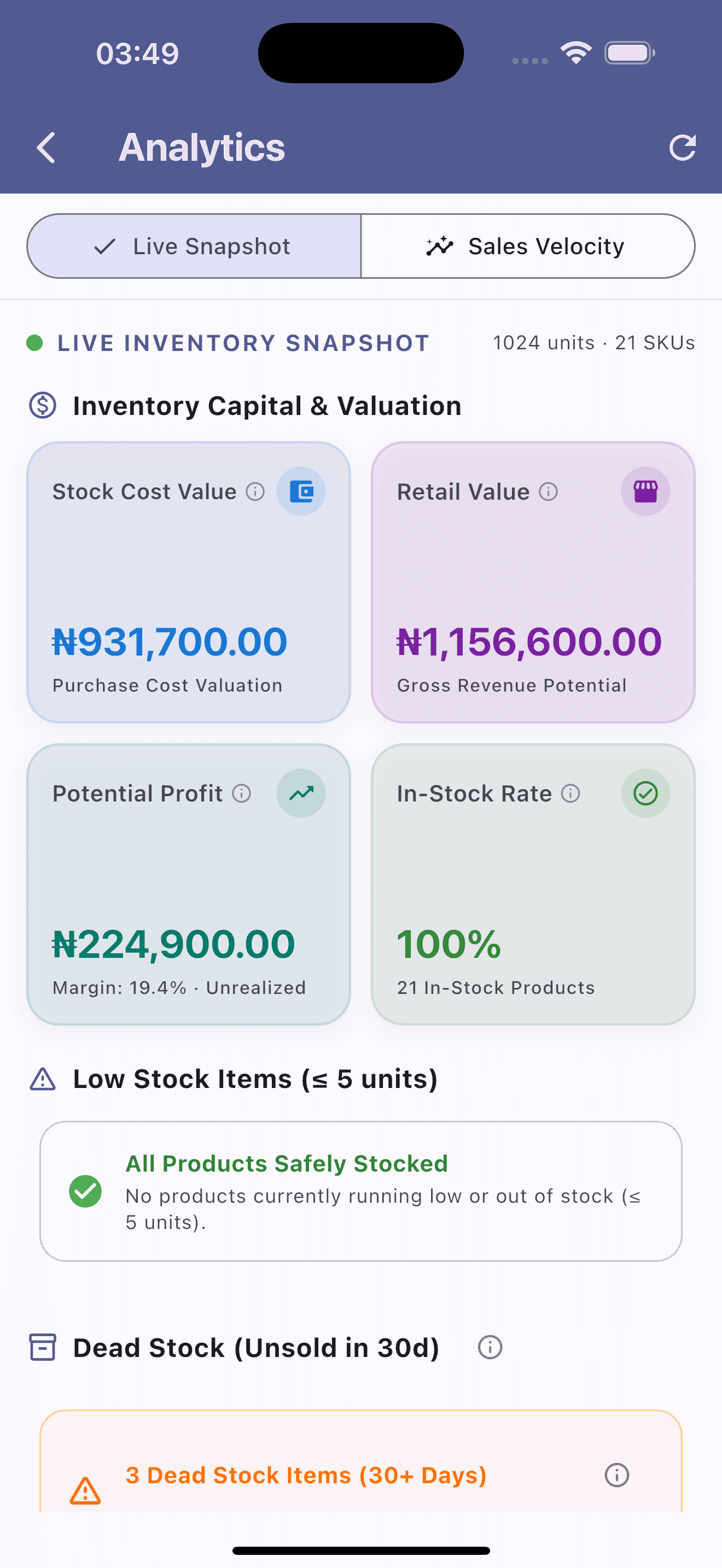
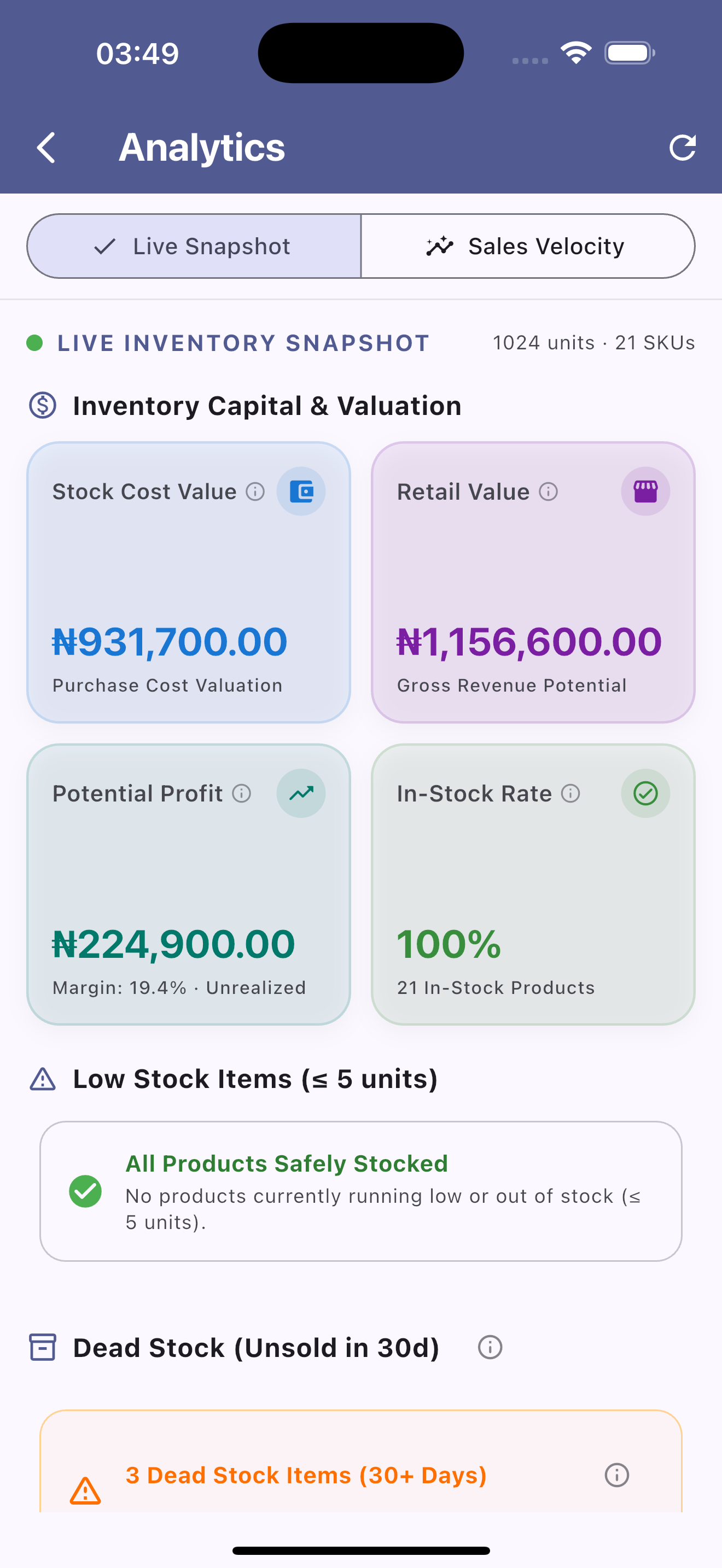
Live Inventory Valuation & Health Audit
Real-time stock auditing metrics showing total stock purchase cost, retail valuation potential, unrealized profit margin, and dead stock alerts.
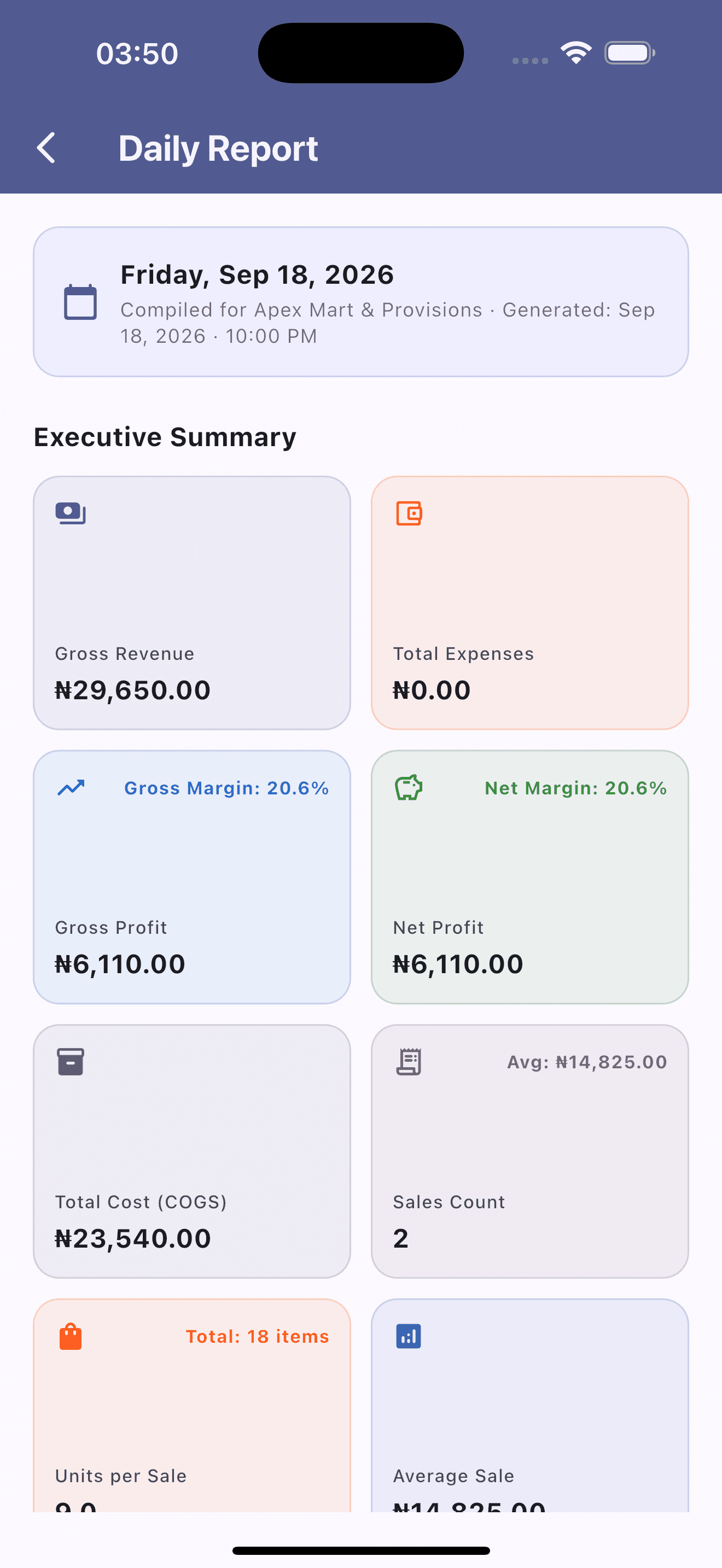
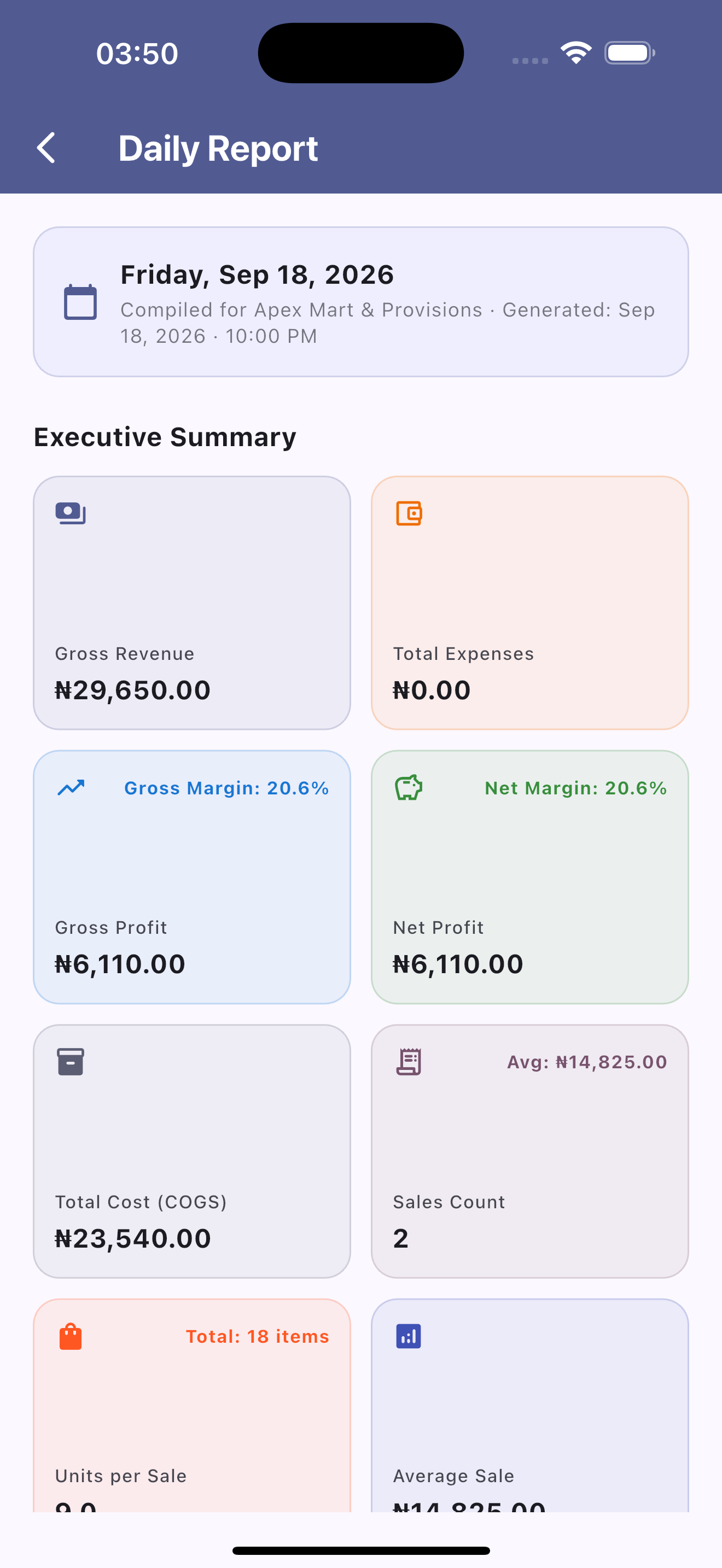
Executive Daily Financial Summary
End-of-day business balance sheet displaying gross revenue, COGS, net profit margins, total unit sales, and transaction count at a glance.
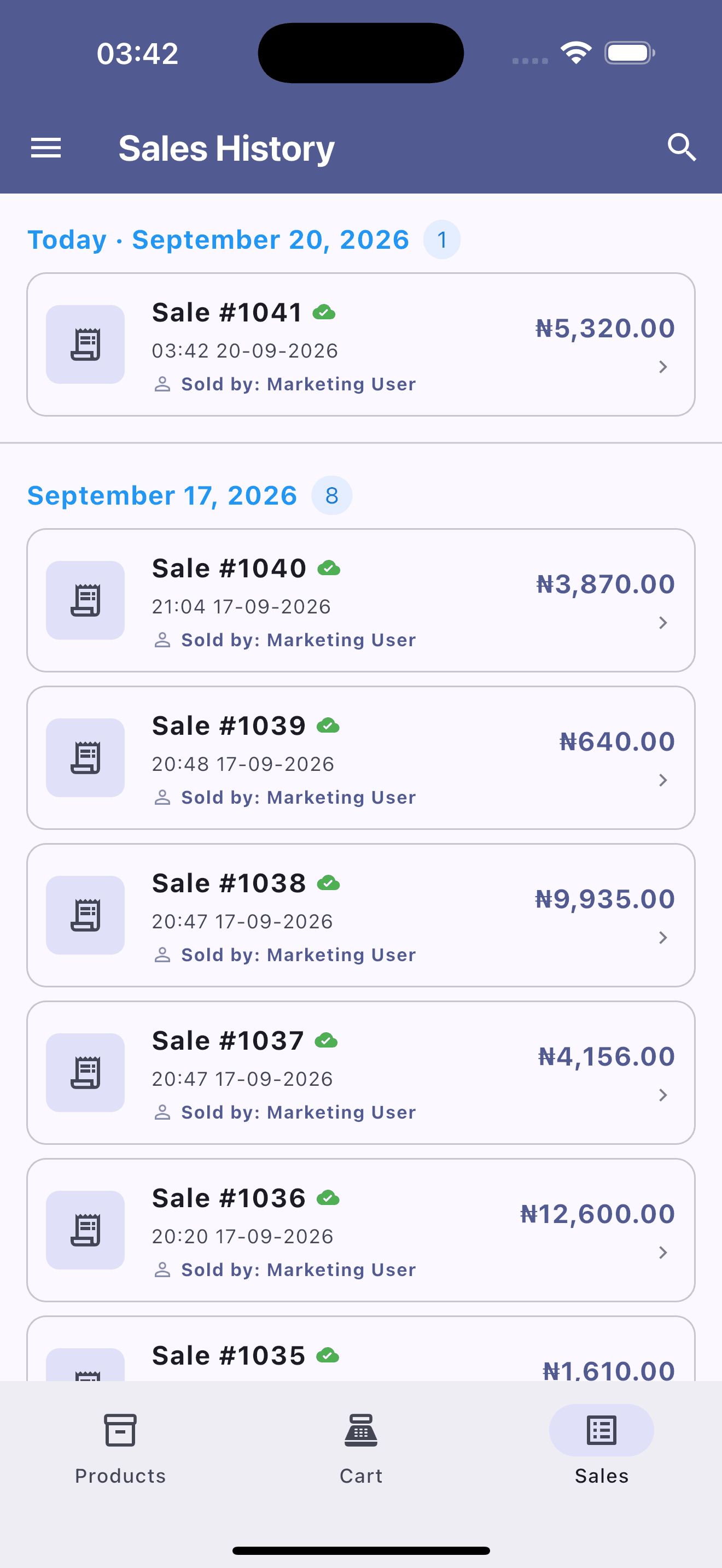
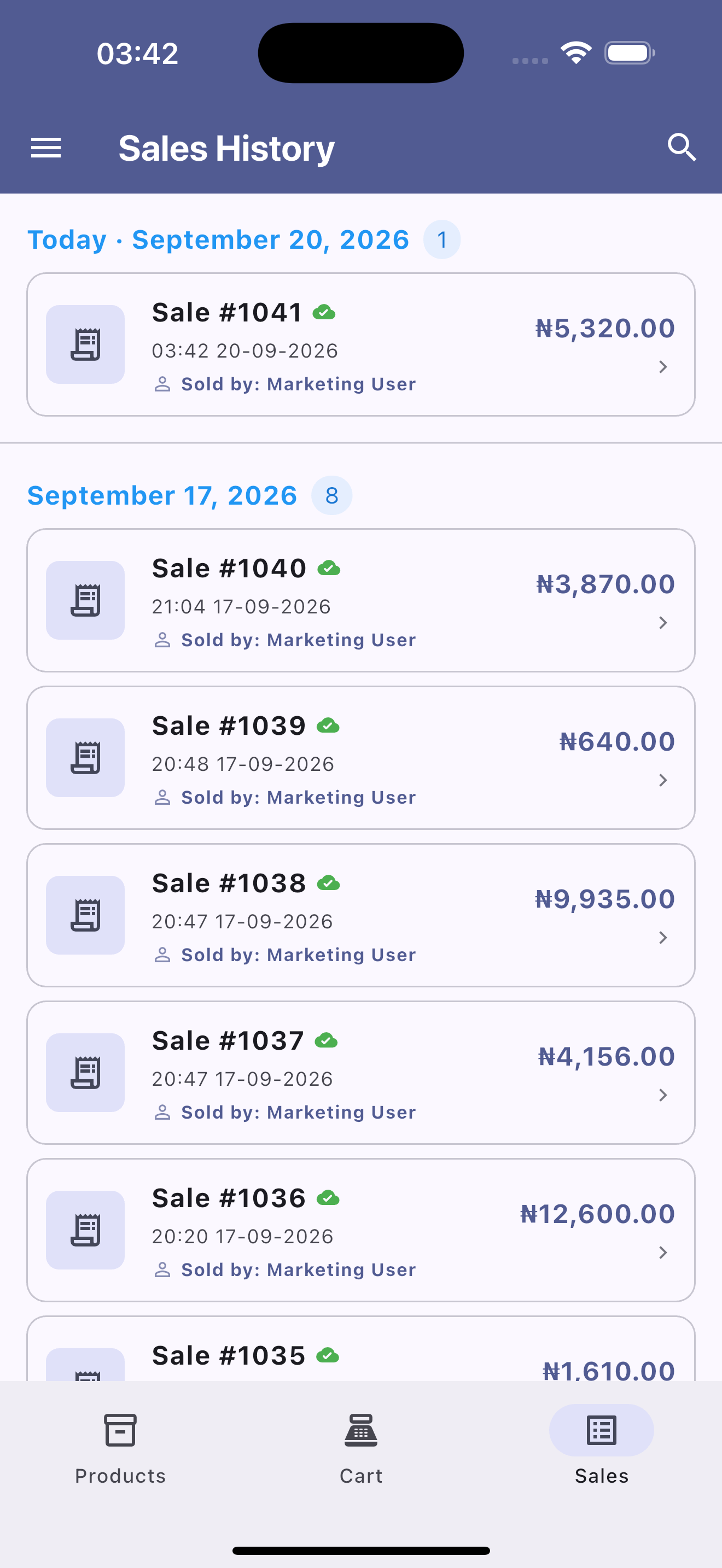
Chronological Sales & Order Log
Organized historical ledger listing date-grouped receipts, individual order totals, cashier attributions, and real-time cloud sync indicators[cite: 9].
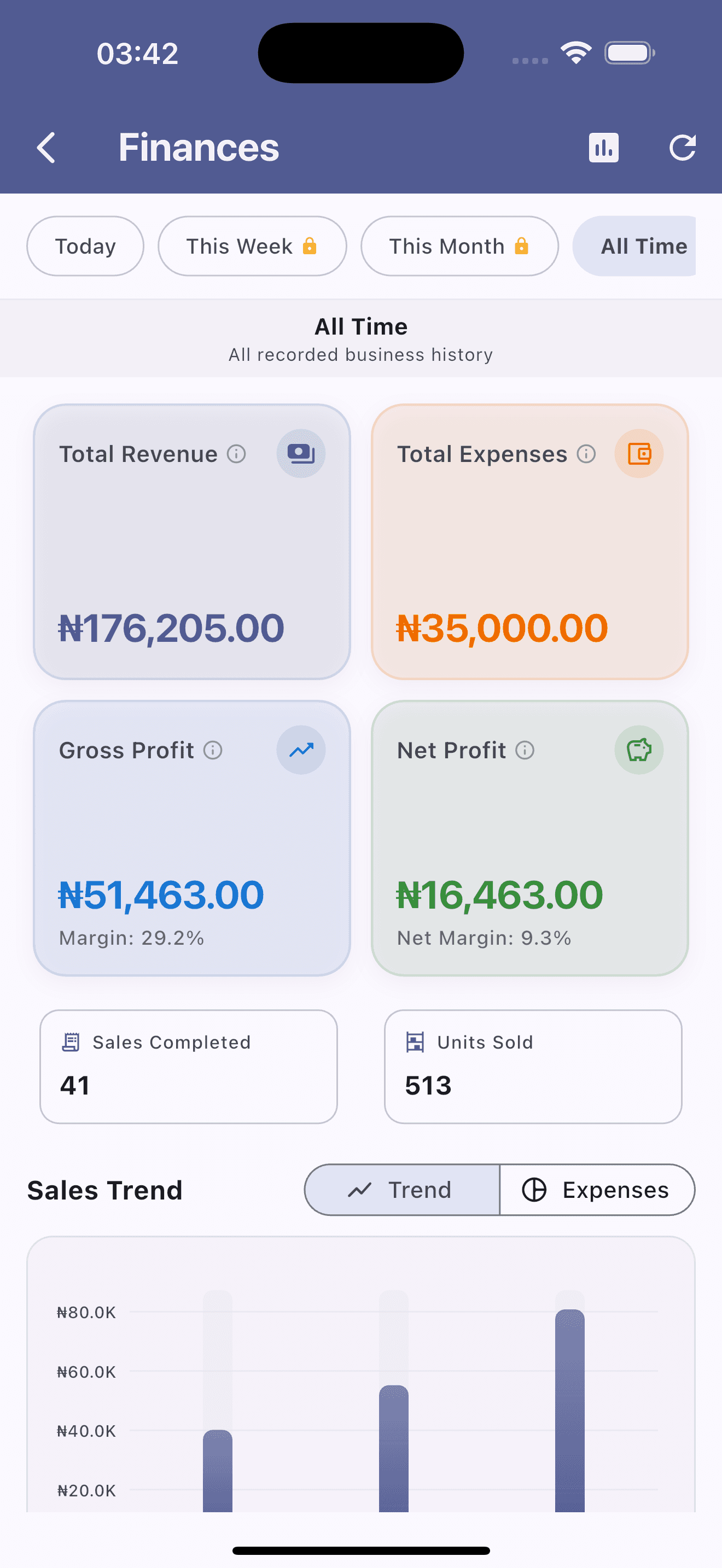
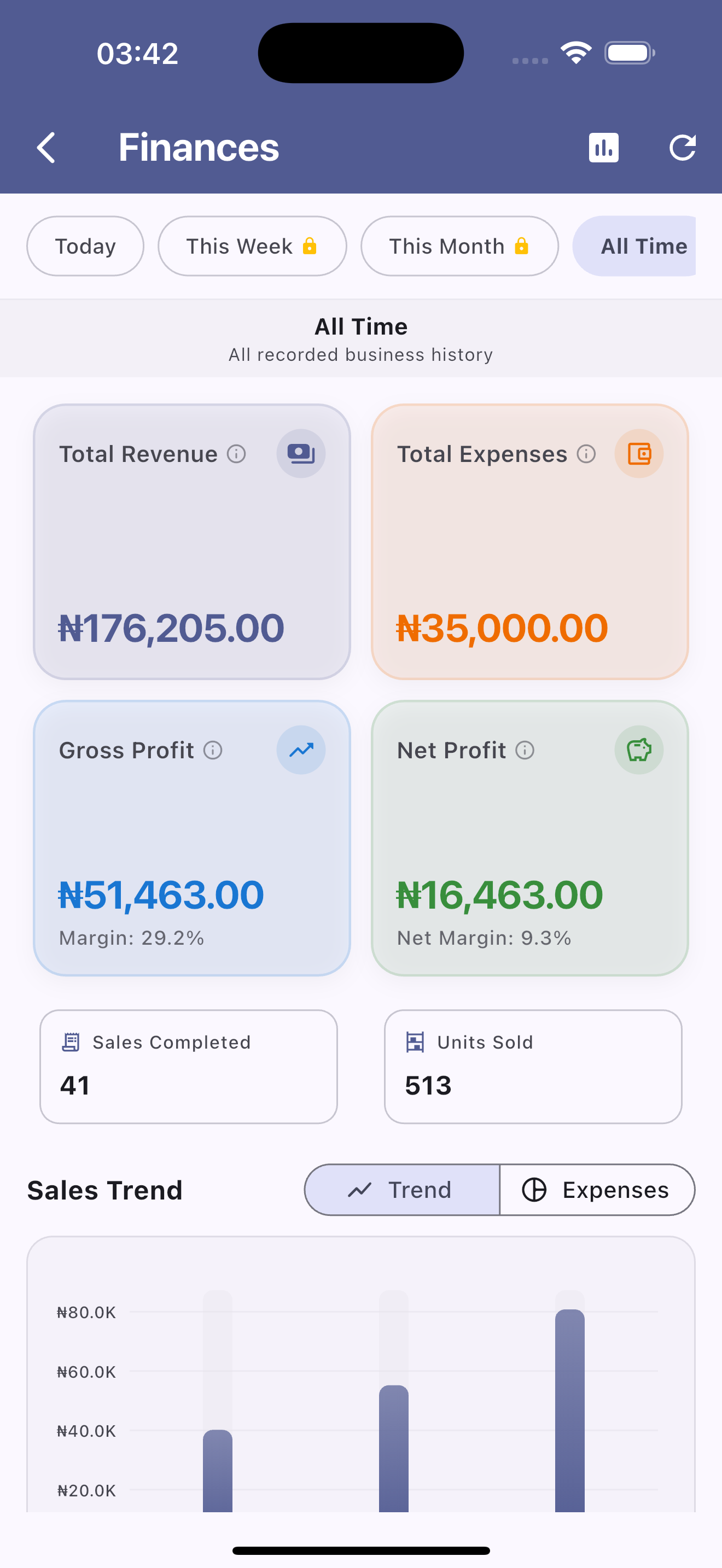
All-Time Financial Performance & Margins
High-level financial KPIs summarizing total gross revenue, operational expenses, gross margin percentages, and net profit margins[cite: 10].
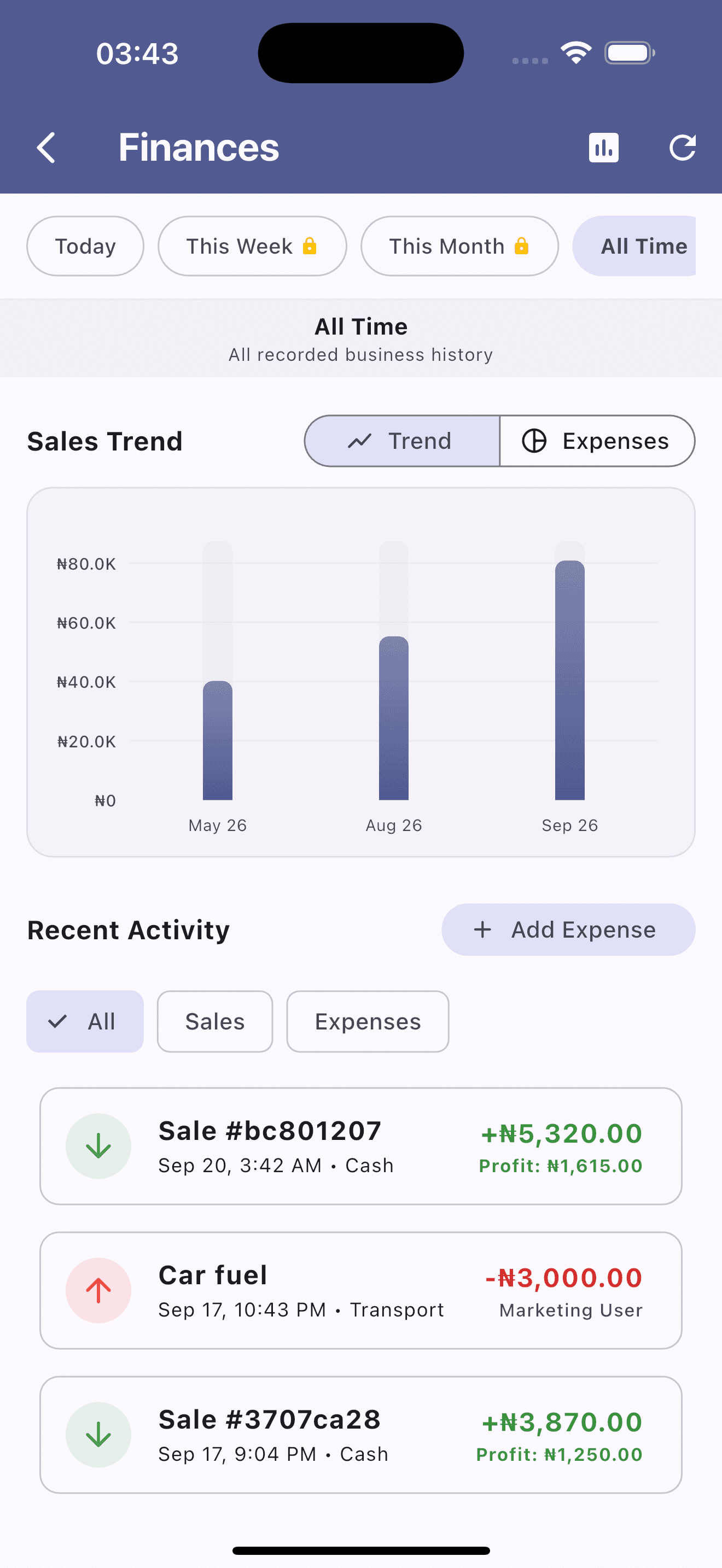
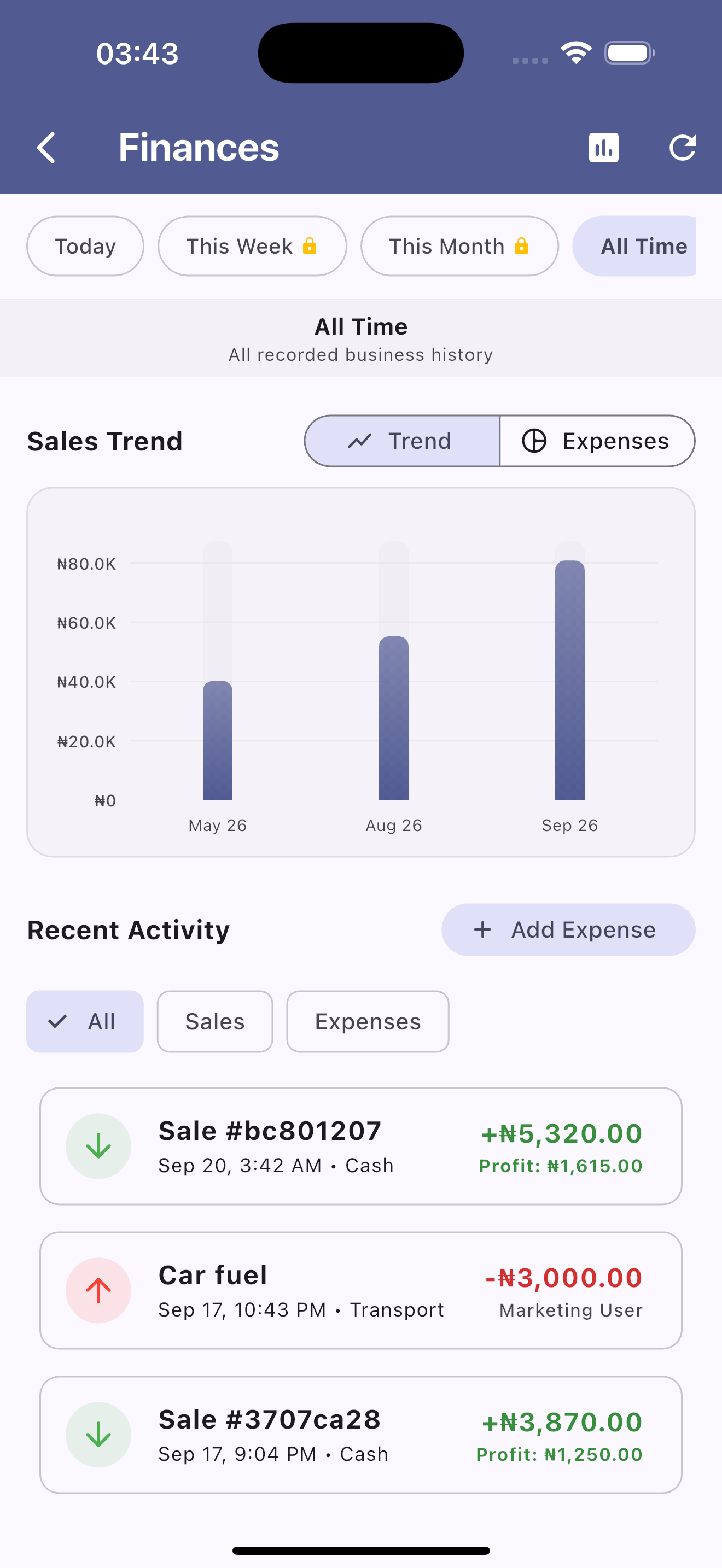
Monthly Sales Trends & Recent Ledger Activity
Longitudinal sales bar chart paired with a real-time recent activity stream showing completed sales profits and outgoing expenses[cite: 11].
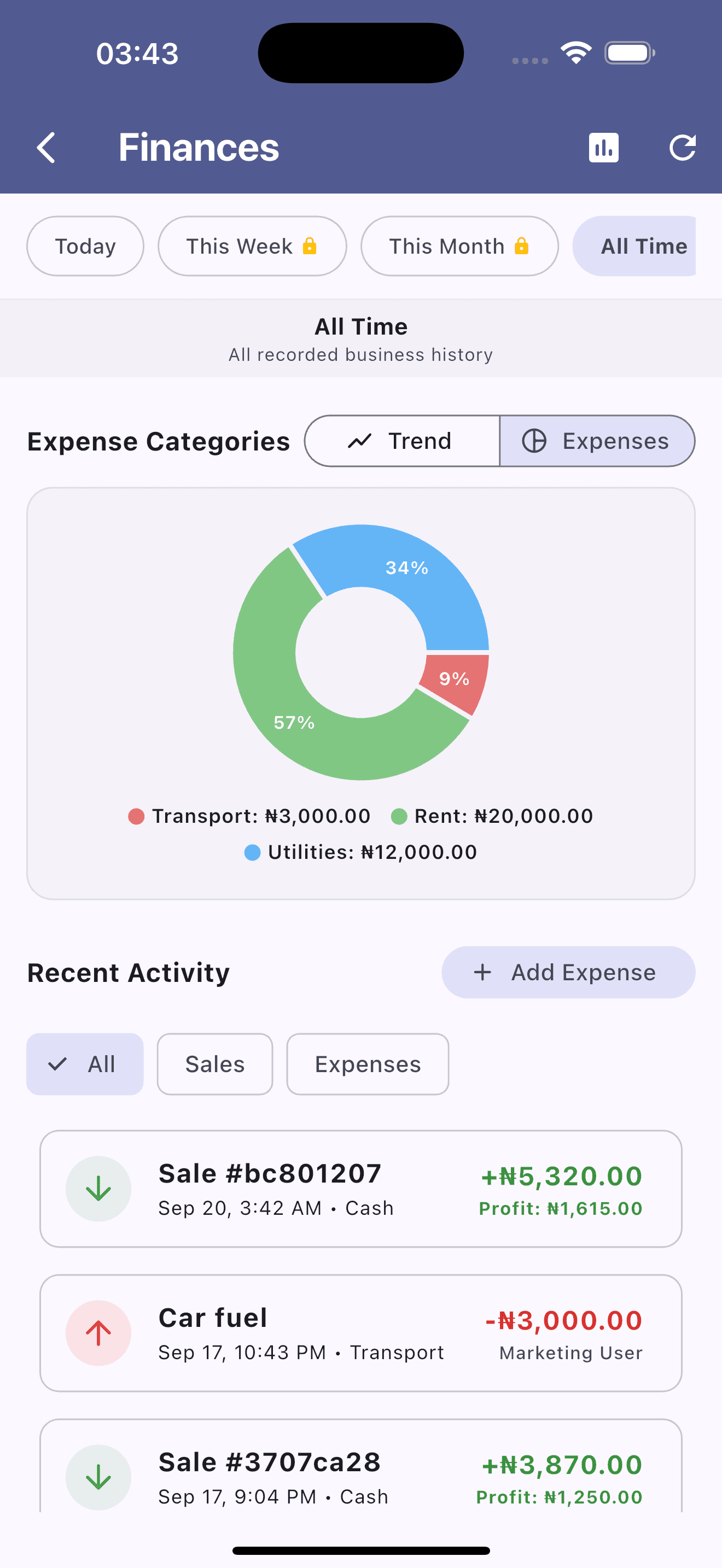
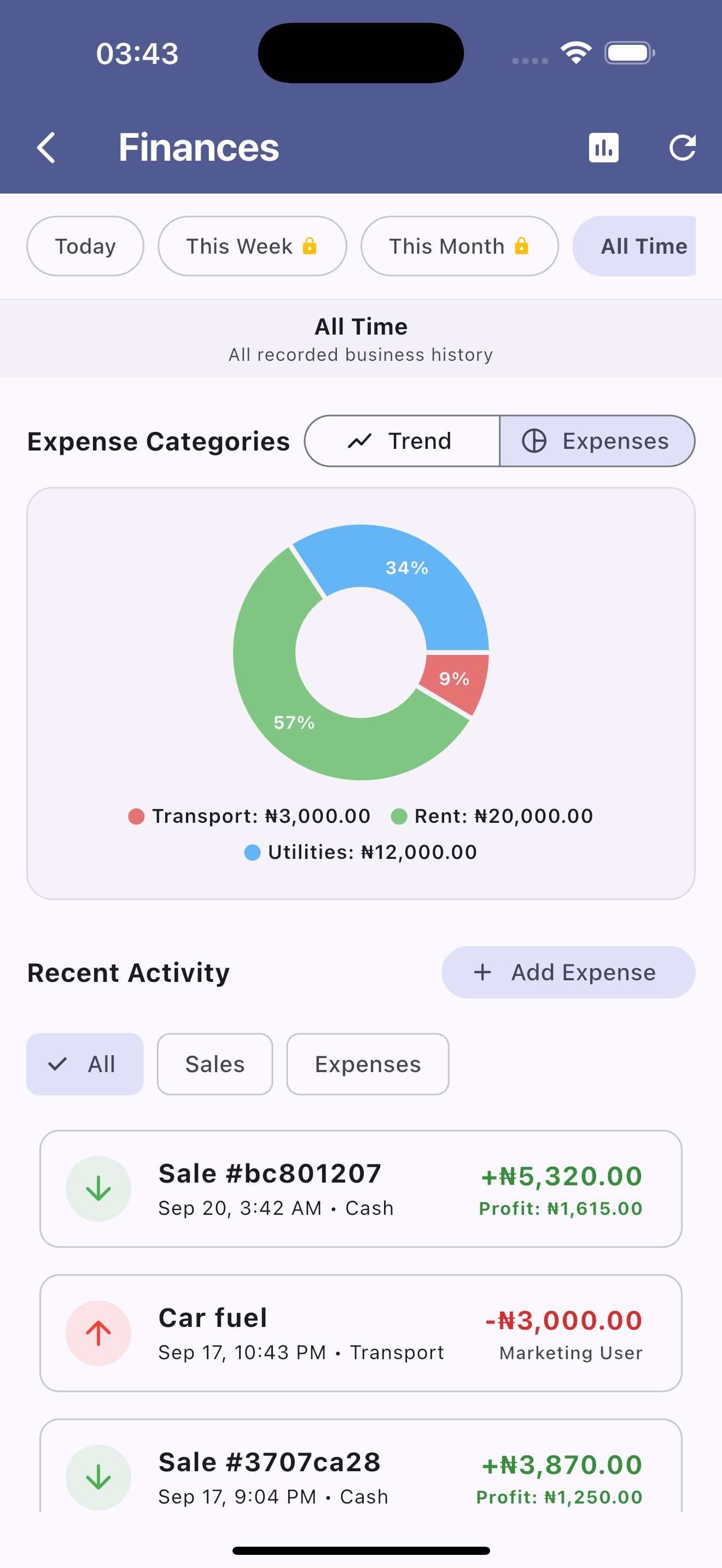
Categorized Expense Distribution
Visual category donut chart itemizing company overhead—including rent, utilities, and transport—with quick expense recording[cite: 12].
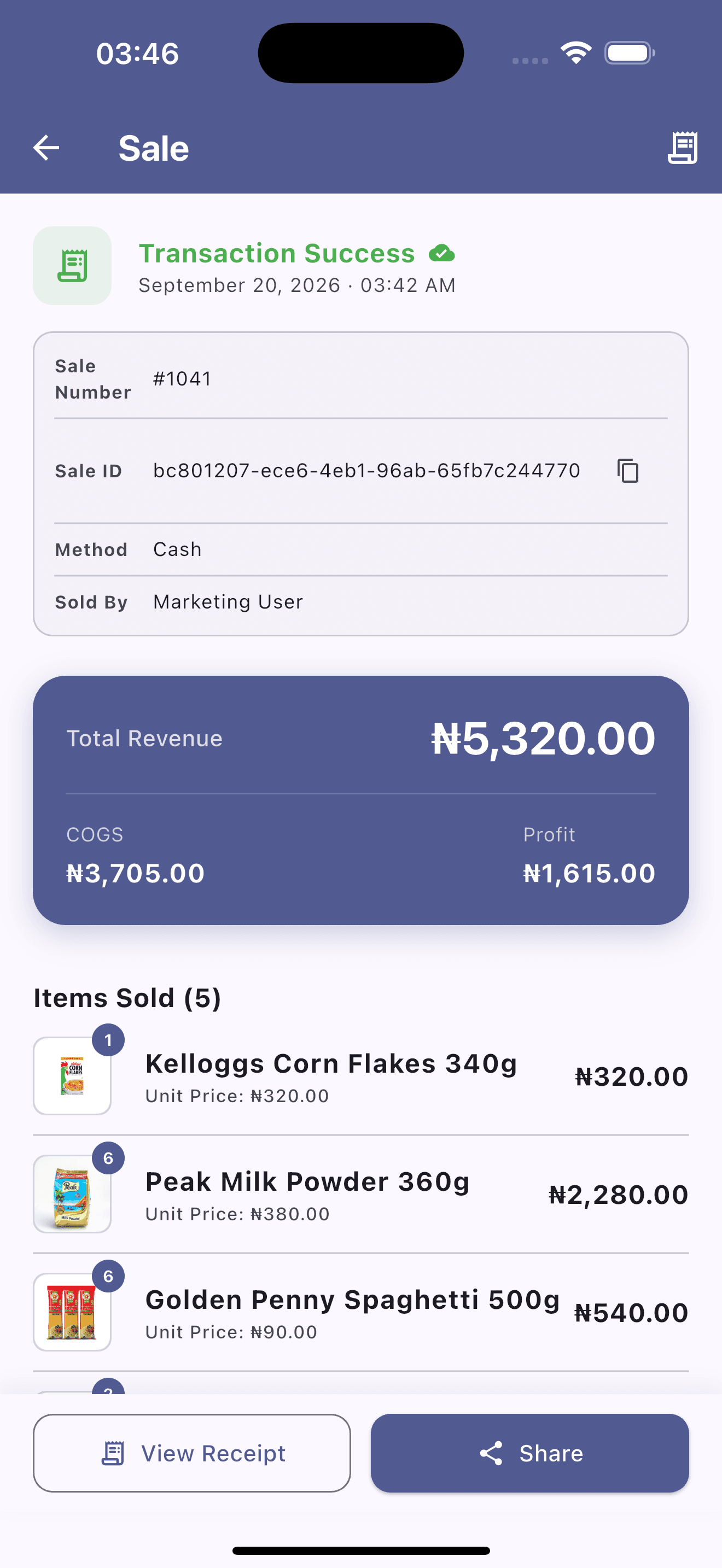
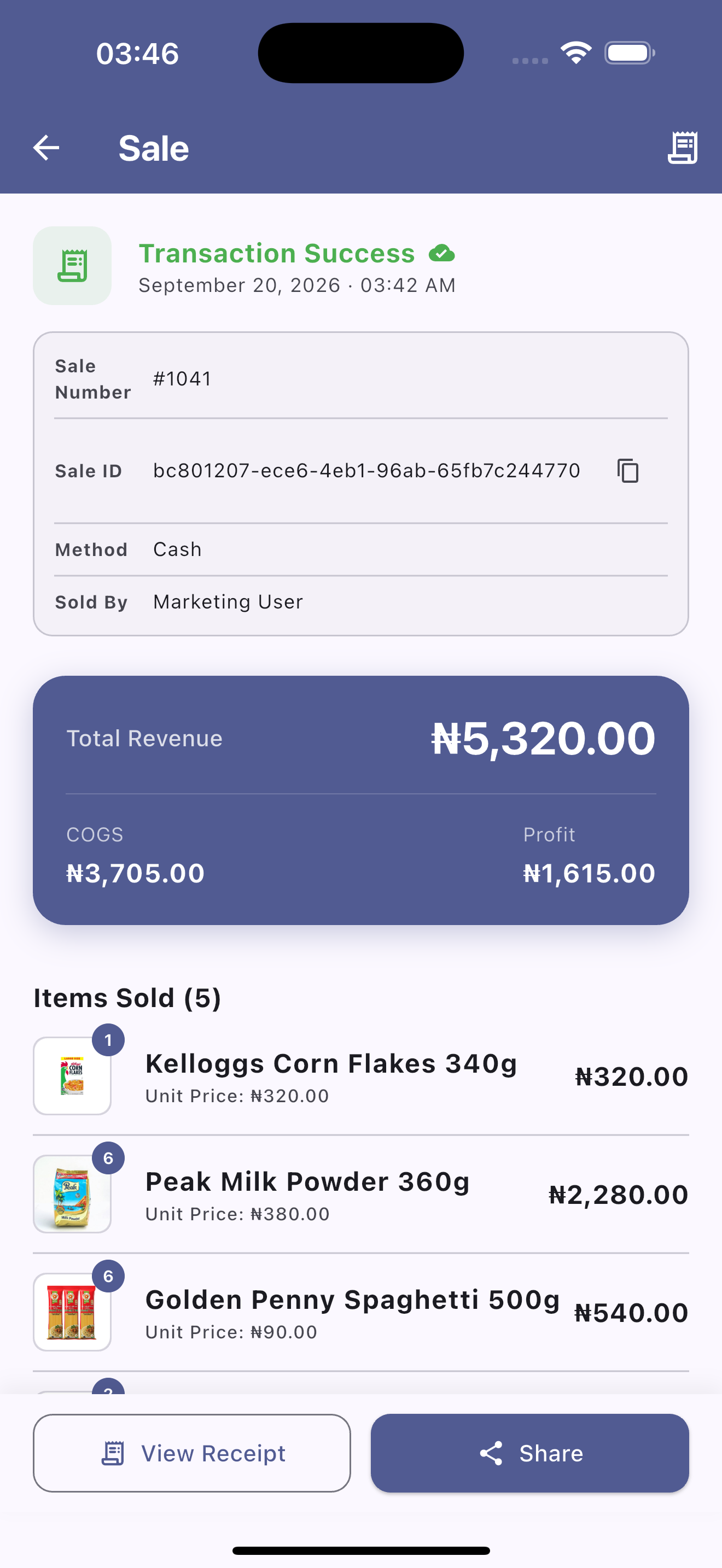
Itemized Transaction Details & Profit Split
Single order inspection view showing transaction IDs, COGS calculations, net profit margins per sale, itemized line items, and receipt sharing[cite: 13].
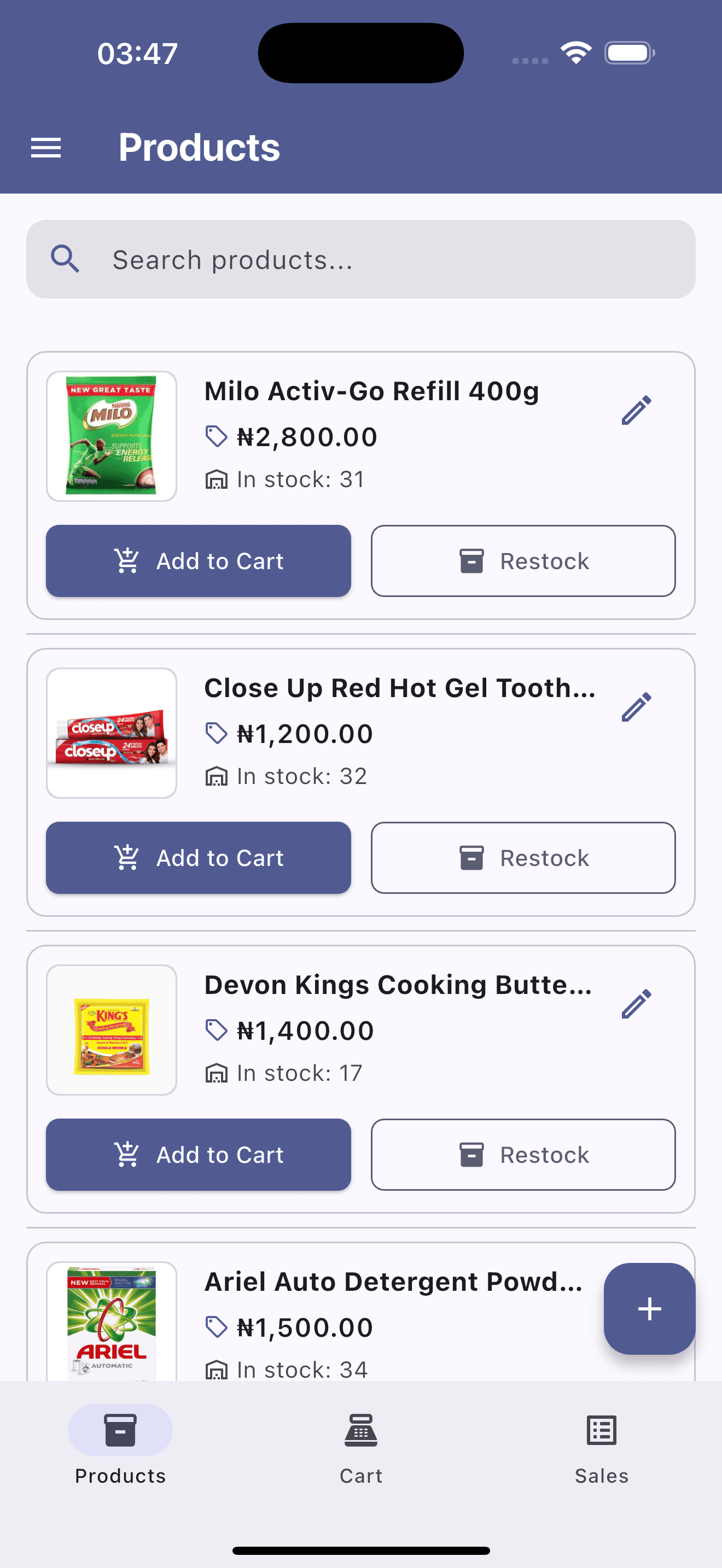
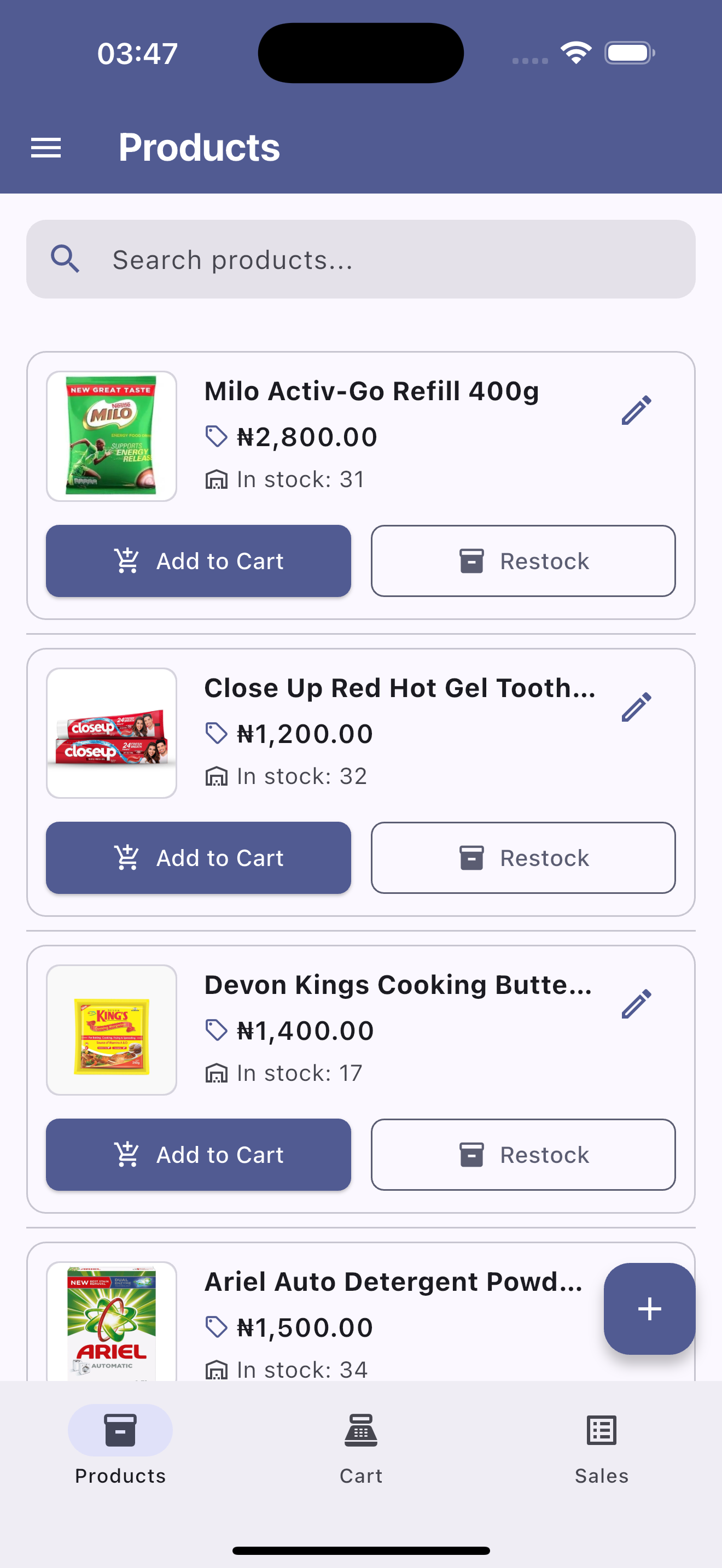
Stock Management & Fast Restock
Live inventory product listing with instant stock count updates, custom pricing, search filtering, and single-tap restocking workflows[cite: 14].
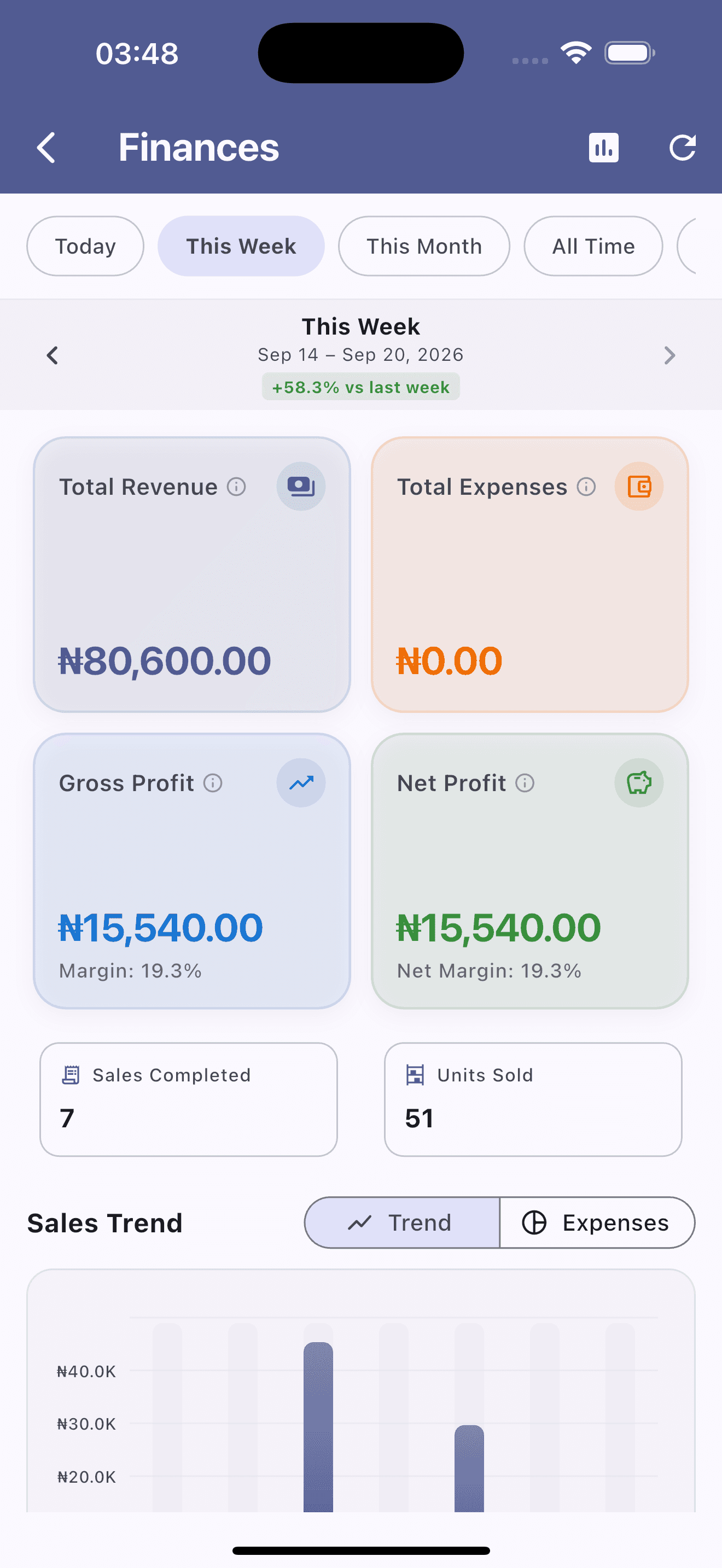
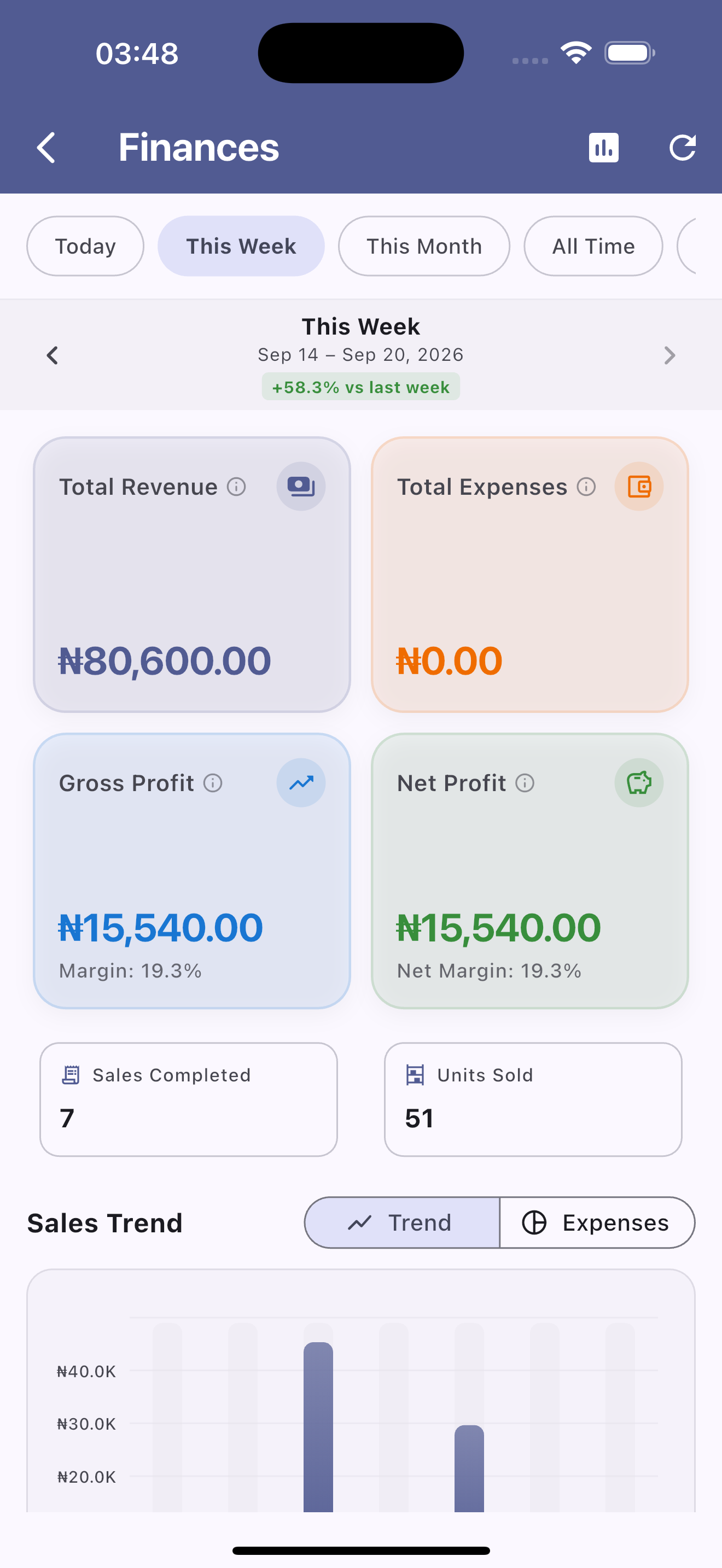
Weekly Financial Summary & Growth
Time-filtered executive summary tracking week-over-week growth percentages, weekly revenue totals, units moved, and volume trends[cite: 15].
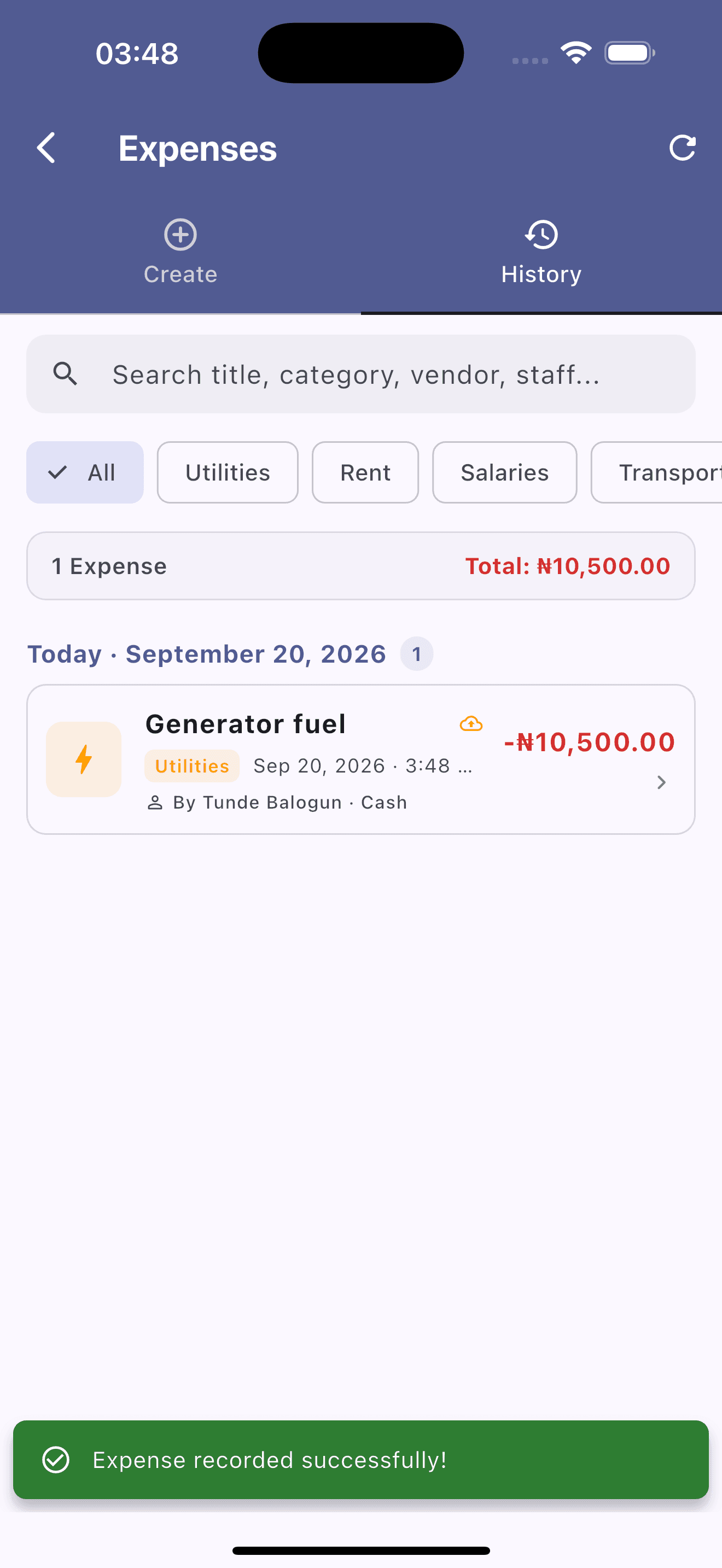
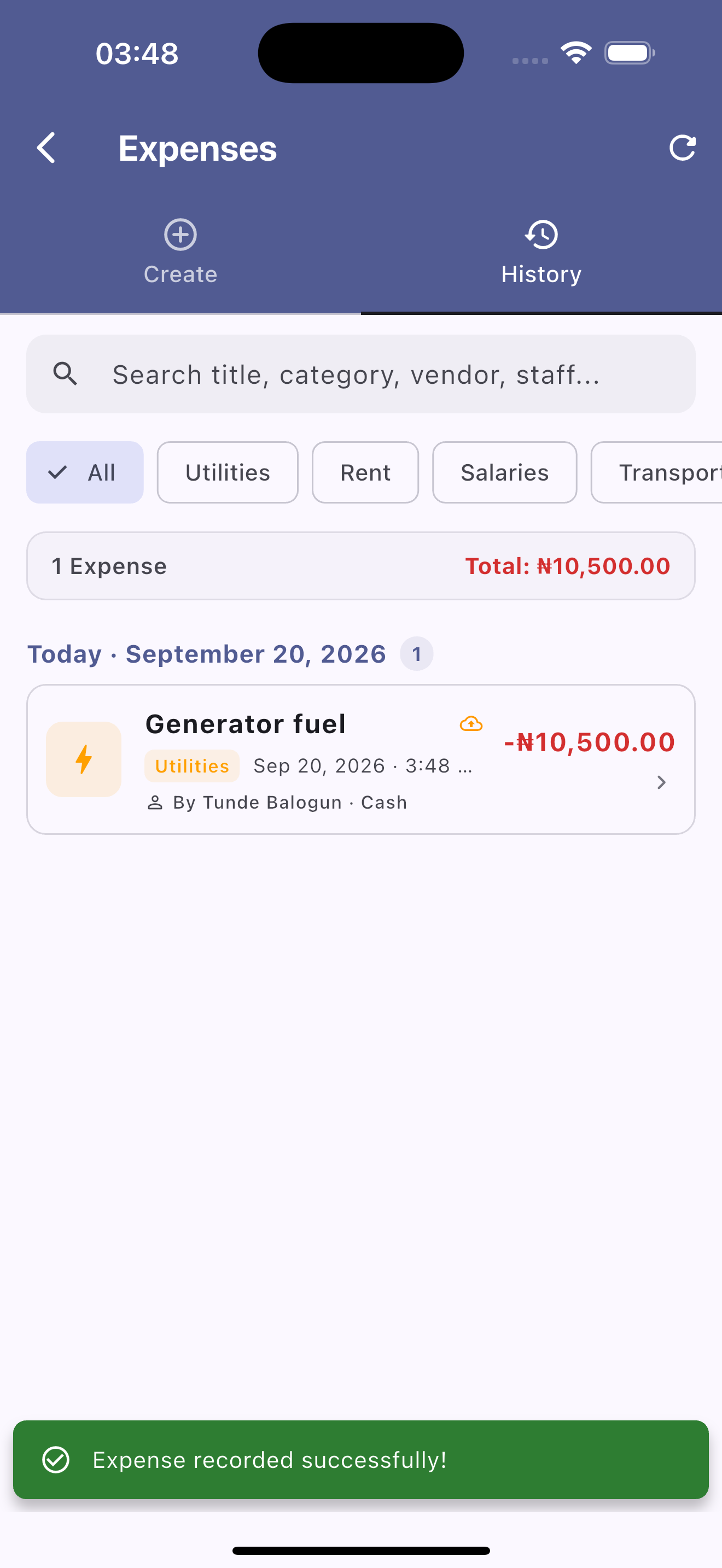
Operational Expense Tracking & Logging
Comprehensive expense manager with category tags, vendor/staff tracking, instant confirmation notifications, and historical spend logs[cite: 16].
Ready to See It in Action on Your Phone?
Download AMAL POS directly from the App Store or Google Play and start scanning items in under 60 seconds.